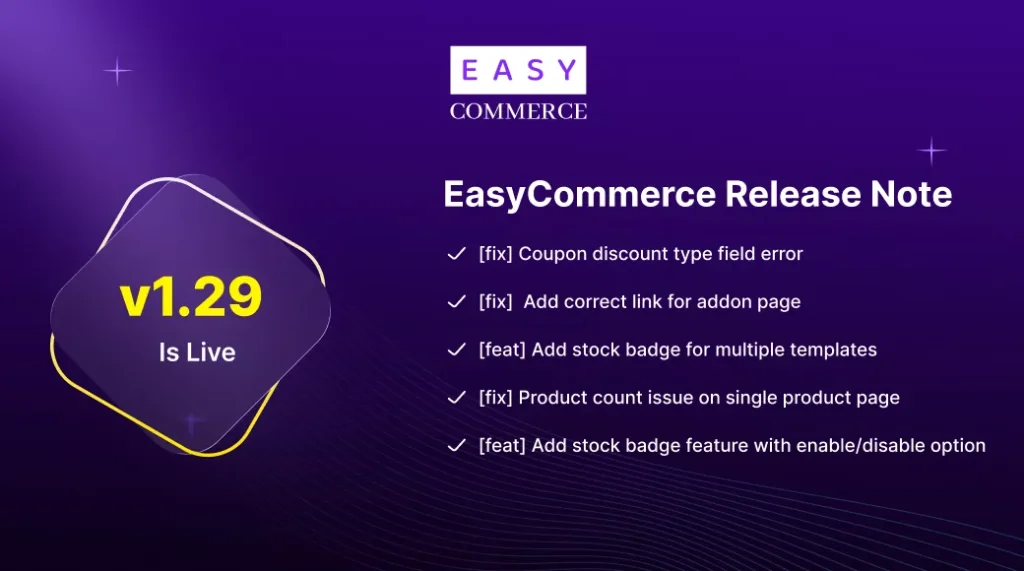
We are thrilled to announce the release of EasyCommerce version 1.29. This update is all about precision, stability, and conversion optimization. Whether you are selling digital downloads, subscriptions, or physical goods, this release ensures your store runs like a well-oiled machine while giving you new tools to drive sales.
New Feature: Dynamic Stock Badges
One of the most powerful psychological triggers in e-commerce is urgency. To help you leverage this, we’ve introduced Stock Badges. You can now visually alert your customers when inventory is low, encouraging them to complete their purchase before items run out.
- Full Control: Easily enable or disable stock badges via the settings menu.
- Template Integration: Full support for Templates 1, 2, and 3, ensuring a seamless look regardless of your design choice.
- Customized Logic: We’ve updated the stock count logic and added fallback values to ensure your badges always display accurate and professional information.
- Visual Polish: Updated background colors for badges to ensure they pop against your store’s theme.
Enhanced Stability & Performance
Beyond the new features, v1.29 is a significant “under-the-hood” update. We’ve listened to your feedback and squashed several bugs to ensure a frictionless experience for both you and your customers:
- Payment & API Reliability: Fixed Braintree error message handling and API key modal issues for a smoother checkout process.
- AI Assistant Optimization: Resolved errors with the AI assistant button, making your AI-powered management more reliable.
- Inventory Accuracy: Fixed critical issues where out-of-stock products could be added to the cart and corrected product counts on single product pages.
- Improved Onboarding: The setup wizard now preserves your dashboard data during navigation, meaning no more repetitive data entry.
Why This Update Matters
In the competitive world of e-commerce, a single bug or a missing conversion trigger can cost you sales. By fixing the stock badge initialization and preventing the addition of out-of-stock items to the cart, we are helping you maintain a professional image and reduce customer frustration.
How to Update
Updating to EasyCommerce 1.29 is simple. Navigate to your WordPress Dashboard > Updates, and click Update Now on the EasyCommerce plugin. We recommend backing up your site before performing any updates.
Ready to Grow Your Business?
Experience the power of AI-driven commerce and improved inventory management today. Update to version 1.29 and start converting more visitors into loyal customers.
Need help? Our support team is standing by to assist you with your upgrade!