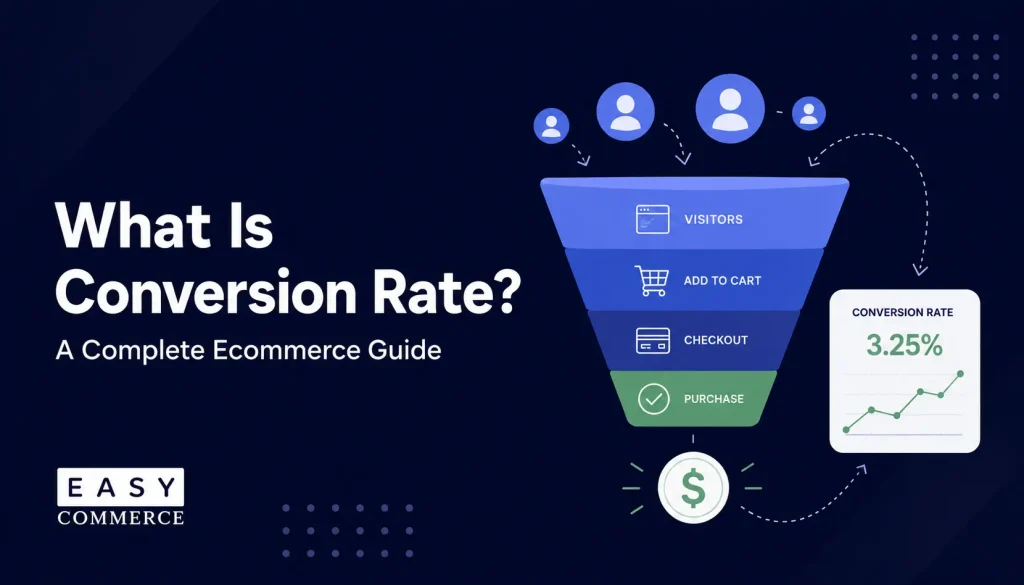
Most store owners, when sales disappoint, immediately think about getting more traffic. Run more ads. Post more on social. Do more SEO. What they rarely stop to ask is: what’s happening to the visitors already there?
That’s where conversion rate comes in. It’s the metric that tells you how many people who visit your store actually do something: buy a product, sign up for emails, or add to cart. And it’s often a much faster lever to pull than chasing new traffic.
If you’ve ever wondered why your store gets decent visits but not enough orders, the answer usually lives inside your conversion rate. More specifically, in whatever is stopping it from being higher.
This guide covers what a conversion rate is, how to calculate it correctly, what benchmarks actually mean, why most stores underperform, and which improvements make the biggest difference. If you’re building an online store or already running one and want to grow it, these are numbers worth understanding deeply.
TL;DR
- A conversion rate is the percentage of website visitors who complete a desired action, most commonly a purchase.
- The formula: (Conversions ÷ Total Visitors) × 100. The global ecommerce average sits between 1.7% and 3%, depending on industry and measurement methodology.
- The biggest conversion killers are complex checkout, weak product pages, missing trust signals, and poor mobile experience.
- Improving conversion rate is almost always more cost-effective than increasing ad spend.
What Is a Conversion Rate in Ecommerce?
A conversion rate is the percentage of website visitors who take a specific action you’ve defined as valuable. In ecommerce, that action is most often a completed purchase. If 1,000 people visit your store and 25 of them buy, your conversion rate is 2.5%.
The concept runs deeper than that single number. Your conversion rate is really a measure of how well your entire store experience works. From the moment someone lands on your homepage to the second they click “place order,” every element either helps them move forward or gives them a reason to leave.
A low conversion rate is rarely one isolated problem. It’s usually a signal that something in the journey- the product page, the checkout, or the shipping cost revealed at the last step- isn’t meeting expectations.
What is a Good Conversion Rate for an Ecommerce Store?
Most ecommerce sites convert between 1% and 4% of visitors into buyers, with the overall average sitting around 2.5–3%. But “good” depends heavily on context:
- By device: Desktop typically converts at 3.5–4.5%, while mobile trails at 1.5–2.5%, even though mobile often drives more traffic.
- By traffic source: Email converts the highest (4–6%), followed by organic and paid search (2–5%), with social media usually the lowest (0.5–2%).
- By industry: High-consideration categories like furniture and electronics naturally convert lower (often under 1.5%) than consumables or fast fashion, where the buying decision is quicker and cheaper.
Rather than chasing a universal benchmark, compare your rate to your own history and to stores in your specific category and price range. A 1.5% conversion rate can be excellent for a $2,000 product and mediocre for a $20 one.
Macro Conversions vs. Micro Conversions
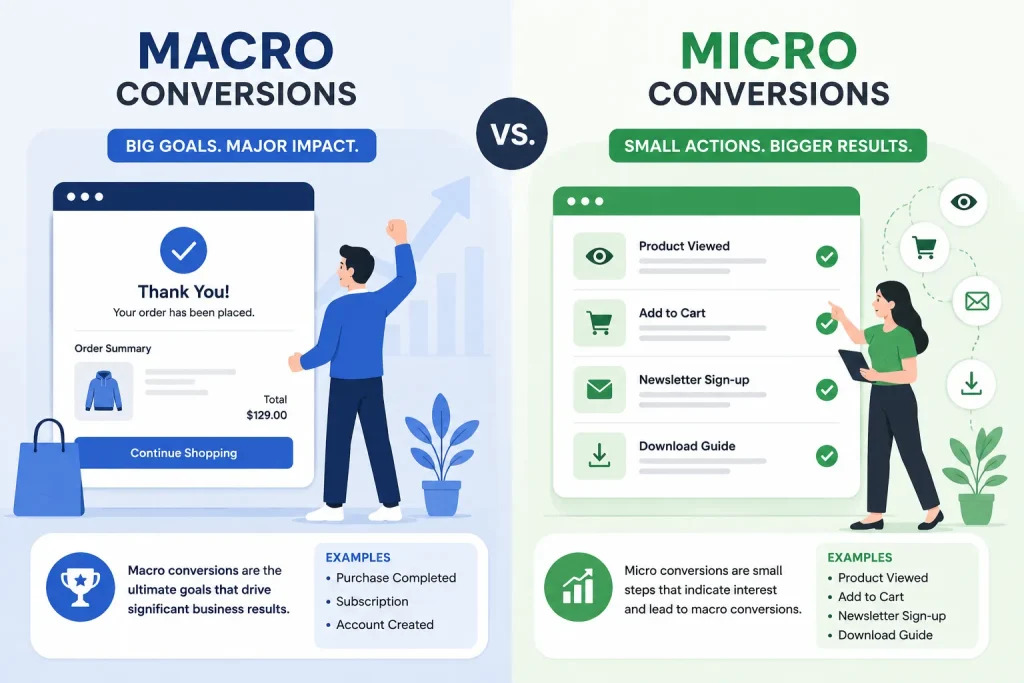
Not all conversions are equal, and this distinction matters more than most store owners realize.
- A macro conversion is the primary goal of your store: a completed purchase. That’s what most people mean when they talk about conversion rate. But macro conversions don’t happen in isolation. Before someone buys, they typically move through a series of smaller steps, visiting a product page, adding an item to the cart, entering their email, and beginning checkout.
- Each of those steps is a micro conversion. They don’t directly generate revenue, but they’re meaningful indicators of intent. Tracking them helps you pinpoint exactly where in the buyer journey people drop off. If your add-to-cart rate is healthy but your checkout completion rate is weak, the problem lies in checkout, not your product pages. That’s a very different fix.
Every visitor moves through a predictable ecommerce business life cycle. Understanding where someone sits in that cycle- first-time visitor, repeat browser, returning buyer- shapes which micro conversions deserve your attention first.
Why Conversion Rate Matters More Than Traffic Volume
To be honest, traffic without conversion is expensive.
If you’re running paid ads and converting at 1%, 99% of those clicks leave without buying. Doubling your rate to 2%, with the same traffic budget, doubles your revenue. That compounding effect is why conversion rate deserves attention before more ad spend.
How to Calculate Your Ecommerce Conversion Rate
The Formula
Conversion Rate = (Number of Conversions ÷ Total Visitors) × 100“Conversions” means the specific action you’re tracking, such as purchases, email signups, or any defined goal. “Total visitors” can mean unique visitors or sessions, but pick one and stay consistent. Mixing the two distorts your trends over time.
A Worked Example
Say your store received 4,000 sessions in October and completed 88 orders in the same period:
The calculation goes as: 88 ÷ 4,000 × 100 = 2.2% conversion rate
Compare that against November, or against a specific traffic source, and you start building a picture of what’s working. Apply the same formula at every funnel stage. According to ConvertCart, the key stage-level formulas break down like this:
- Add-to-cart rate = Sessions with add-to-cart ÷ Product page visits × 100
- Cart-to-checkout rate = Checkout page visits ÷ Cart page visits × 100
- Checkout completion rate = Thank you page visits ÷ Checkout page visits × 100
Healthy stores typically see add-to-cart rates between 8% and 15%. A rate significantly below that points to product page or pricing issues; fix those before looking elsewhere.
Where to Pull Your Numbers
Google Analytics 4 is the standard starting point. With Enhanced Ecommerce tracking configured, it captures purchase events, session counts, and funnel progression automatically. Your ecommerce platform also reports order and visitor data from its own dashboard.
One thing worth knowing: GA4 and platform analytics often show slightly different numbers. GA4 measures sessions; most platforms measure unique visitors. Use one source consistently when tracking trends over time. The direction of change matters more than the raw number.
What’s a Good Conversion Rate? Industry Benchmarks for 2025
This is the first question most store owners ask. The honest answer: it depends heavily on your industry, your average order value, and what you’re measuring.
According to IRP Commerce data reported by Develo, the global average ecommerce conversion rate sat at 1.7% in 2025, down slightly from 1.76% in 2024. Meanwhile, Gorgias, pulling from multiple benchmark sources, puts the realistic range for established stores at 2.5% to 3.0%. The gap between those figures comes down to which merchant segments each source measured. Both are valid reference points, just don’t treat either as a fixed target.
What matters more is knowing your industry. The variation across categories is significant:
| Industry | Average CVR (2025) |
| Arts & Crafts | ~3.89% |
| Food & Beverage | ~3.5%–6.0% |
| Health & Beauty | ~2.5%–3.0% |
| Fashion & Apparel | ~1.8%–2.5% |
| Home & Garden | ~1.4%–1.8% |
| Baby & Child Products | ~0.70% |
Sources: IRP Commerce via Develo (2025 | Gorgias | Dynamic Yield via Nector
The pattern is consistent: low-priced, frequently purchased products convert at higher rates. High-consideration purchases, such as furniture, luxury fashion, and electronics, convert lower because buyers need more time and reassurance. A 1.5% rate would be excellent for a store selling handmade leather goods. For a daily snack subscription, it’s a signal that something is wrong.
How Device Affects Your Rate
Device breakdown is something most store owners underestimate. According to Gorgias, desktop converts at roughly 3.5% to 4.5%, while mobile sits closer to 1.5% to 2.5%. That gap isn’t because mobile shoppers don’t want to buy; it’s because most mobile checkout experiences are harder to complete.
Small tap targets, long forms, slow images. Fixing mobile experience often delivers a bigger conversion lift than almost any other optimization, because mobile now accounts for the majority of ecommerce traffic.
How to Actually Use These Numbers
Benchmarks are a sanity check, not a finish line. If your rate falls well below your industry average, there are real problems worth diagnosing. If you’re above it, incremental gains will compound meaningfully over time.
The smarter approach: track your conversion rate month over month, segment by device and traffic source, and measure the impact of specific changes you make. Thorough ecommerce market research for your niche gives you far more actionable benchmarks than any global average, because you’re comparing against stores selling to the same customers you are.
Why Your Conversion Rate Is Low (Common Causes)
Most underperforming stores share a short list of problems. Here are the four that come up most often.
Your Checkout Has Too Many Steps
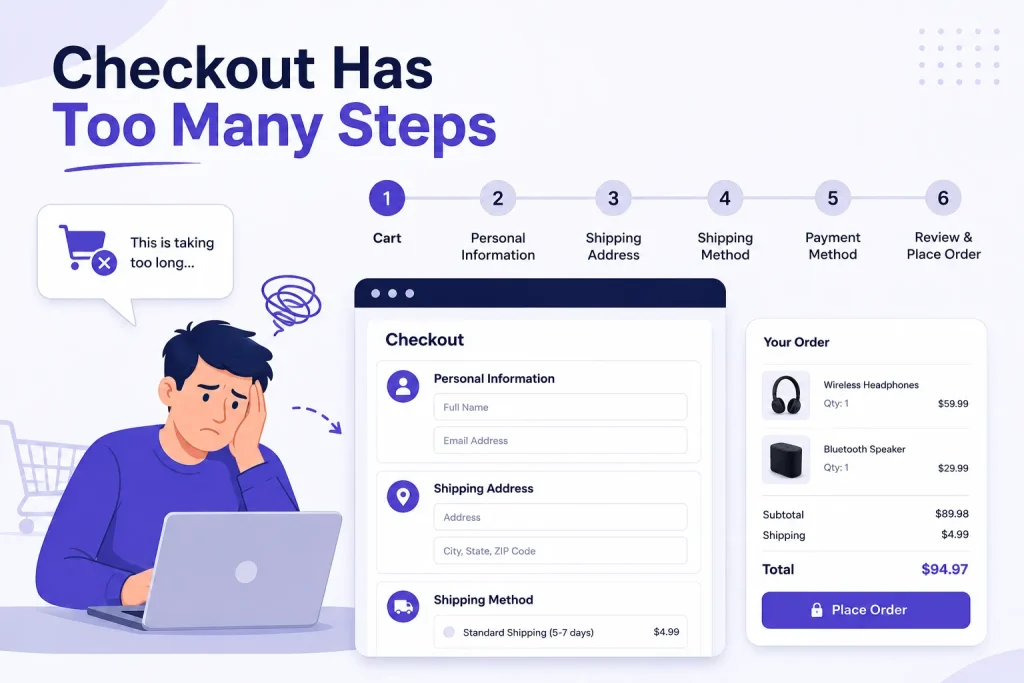
According to Baymard Institute research, 18% of cart abandonments happen specifically because the checkout is too long or complicated. A separate Baymard finding is even more striking: forcing customers to create an account before purchasing eliminates 24% of conversions.
Nearly a quarter of people who were ready to buy will leave if you make them register first. The fix is usually simpler than expected: offer guest checkout, reduce form fields to what’s essential, show a progress indicator, and display the full cost, including shipping, before the final screen. Unexpected fees at the last step are consistently one of the top reasons shoppers abandon a completed cart.
Your Product Pages Aren’t Earning the Sale
A product page has one job: move someone from “I’m interested” to “I’m buying.” Most don’t do it well. Baymard Institute data shows that properly optimized product pages can increase conversions by up to 35%. That lift typically comes from high-quality images across multiple angles, benefit-focused descriptions that answer real questions, visible stock levels, and clear delivery estimates.
Generic, spec-heavy descriptions don’t sell. Copy that speaks to what a customer actually cares about, how the product solves their problem, and what it’s like to use. At scale, writing strong descriptions for every product is a real-time drain.
EasyCommerce’s built-in AI Copy Writer generates a tailored first draft from the product details you provide, which you refine and publish. That’s consistent copy quality across the entire catalog without writing from scratch each time.
Shoppers Don’t Trust Your Store Yet
According to research cited by eDesk, 93% of consumers read online reviews before making a purchase. Trust is the invisible barrier between “maybe” and “yes.”
First-time visitors don’t know your brand. They’re assessing risk. Reviews, ratings, clear return policies, visible contact information, and payment security indicators all reduce that perceived risk. Without them, even a well-built store loses people who were otherwise close to buying. Place these signals strategically, near the add-to-cart button, inside the checkout flow , not just buried in a footer no one reads.
Mobile Experience Is an Afterthought
Most stores are built on desktop and tested on desktop. Then they go live, and the majority of traffic arrives on a phone. A clunky mobile experience, buttons that are hard to tap, checkout forms requiring too much typing, images that stall on slow connections, silently drains your conversion rate with no obvious error to flag. If you haven’t completed a full purchase on your own store from a mobile device recently, do that today. Most store owners find at least two or three friction points they had no idea existed.
How to Improve Your Ecommerce Conversion Rate | 4 Ways
Improving your ecommerce conversion rate is one of the trickiest tasks you’ll do while running an ecommerce store. Let’s see some of the ways to do that-
1. Remove Every Unnecessary Step
Every extra click between “add to cart” and “order confirmed” is a chance to lose the sale. Audit your checkout and cut anything not absolutely required. Guest checkout is non-negotiable. Full cost transparency, including tax and shipping, before the final screen is equally critical.
EasyCommerce handles this out of the box. The checkout is fast and clean, with multiple payment gateways supported natively, including Stripe, PayPal, Braintree, and others. Payment method availability matters more than most store owners expect: a shopper who doesn’t see their preferred option at checkout will often leave rather than adapt.
2. Write Product Descriptions That Actually Sell
Good product copy answers one question: “Why should I buy this?” Lead with the benefit, not the feature. “Breathable fabric that keeps you comfortable through a full workday” sells more than “100% cotton construction.” Strong descriptions are specific, conversational, and address objections before the customer has to voice them.
This is where EasyCommerce’s AI Copy Writer earns its place. It produces a product-specific draft from the details you provide, you refine, and then publish. Consistent quality across every listing, without starting from a blank page each time.
3. Recover Lost Sales Before They Disappear
Cart abandonment is unavoidable. Shopify data puts the average abandonment rate at around 70% across ecommerce. But those aren’t necessarily lost sales; many shoppers got distracted, wanted to compare prices, or simply needed a day to decide.
Automated recovery emails bring a meaningful share of them back. According to Triple Whale’s 2025 Ecommerce Benchmarks, abandoned cart emails average a 41.8% open rate and a 10.7% conversion rate. That’s a significant return for a workflow that runs entirely without manual effort. EasyCommerce includes abandoned cart recovery built directly into the plugin , no third-party tool required, no additional monthly cost.
4. Add Trust Signals at Every Friction Point
Trust isn’t built once and forgotten. It needs to appear wherever hesitation is likely, on product pages, the cart, and checkout. Practical signals include customer reviews with photos, clear return and refund policies, payment security badges, and real-time stock levels.
That last point is worth highlighting: showing accurate inventory creates natural urgency without manufactured pressure. EasyCommerce tracks inventory automatically and surfaces low-stock alerts, keeping that information current without manual updates.
Once your store is converting well, the next priority is bringing in more qualified traffic. The WordPress ecommerce SEO guide covers the technical and on-page practices that help your store rank for searches from people ready to buy.
Conclusion
Conversion rate isn’t a magic number. It’s a window into how well your store works for real people, from the moment they land to the moment they decide to buy or leave.
The formula is simple. Industry benchmarks give you context. The real work is identifying where your specific store loses people and addressing those points one by one. Complex checkout, weak product copy, missing trust signals, broken mobile experience- each has a known fix, and none of them require a major redesign or a bigger traffic budget.
If you’re building on WordPress and want a store designed from the ground up to convert, fast checkout, built-in abandoned cart recovery, AI-powered product descriptions, and automatic inventory tracking, EasyCommerce is worth exploring. It’s free to start, and the feature set directly addresses the friction points this guide covers.
Your traffic is already working. The question is whether your store is ready to convert it.
Frequently Asked Questions
A good conversion rate depends on your industry. The global average sits between 1.7% and 3%, but that range masks wide variation. According to IRP Commerce data{rel="nofollow"}, Arts & Crafts stores average close to 3.89%, while Baby & Child Products often sit below 1%. For most general ecommerce stores, above 2% is a solid baseline, above 3% is competitive, and above 5% puts you in top-performer territory. What matters most is consistent improvement over your own historical numbers, not hitting a figure someone else published.
A macro conversion is your store's primary goal, usually a completed purchase. A micro conversion is a smaller, measurable step toward that goal: adding a product to cart, signing up for your email list, beginning checkout, or spending meaningful time on a product page. Tracking micro conversions tells you precisely where visitors drop off in your sales funnel. If add-to-cart is strong but checkout completion is weak, the fix belongs in checkout, not on the product pages. That specificity makes optimization far more efficient than guessing.
The most common culprits are checkout friction (too many steps, forced account creation, surprise shipping costs), weak product pages (vague descriptions, insufficient images, no reviews), and missing trust signals. Mobile experience is another frequent issue. According to Baymard Institute, forced account creation alone eliminates 24% of potential conversions, and that's just one friction point. Start by completing a full purchase on your own store from a mobile device. That exercise reveals more real problems faster than any analytics report.
Yes, meaningfully. Slow-loading pages increase bounce rates and reduce the patience shoppers have for completing checkout. The effect is amplified on mobile, where connection speeds vary, and users are quicker to leave a sluggish site. A lightweight ecommerce setup, one that doesn't load dozens of plugins and scripts before displaying the first product, has a structural advantage here. EasyCommerce is built to be fast by default, which supports the full store experience before any additional optimization begins.