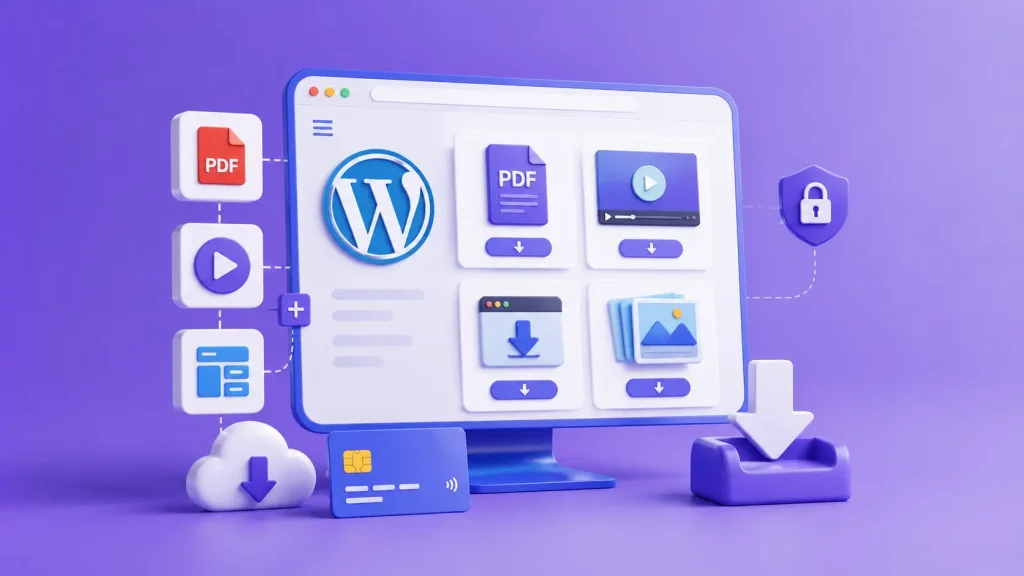
WordPress powers 40.7% of all websites as of August 2026. If you already have a WordPress site, you don’t need to move to another platform just to start selling digital products.
The harder part is choosing how to sell them.
Most guides recommend combining several plugins for checkout, file delivery, taxes, and cart recovery. Others send you to hosted platforms that may charge transaction fees as your sales grow.
You don’t necessarily need either approach.
In this guide, we’ll use EasyCommerce to set up digital products on WordPress with a single ecommerce plugin, from installation to accepting an order and delivering the purchased file.
What Types of Digital Products Can You Actually Sell on WordPress?
Almost anything that exists as a file. If you can zip it, encode it, or export it as a PDF, WordPress can sell it.
- Ebooks and PDFs
- Templates and design assets
- Online courses
- Audio and video files
- Software, plugins, and themes
- Membership and gated content
- Digital bundles combining several of the above
One thing worth knowing upfront: you’re not locked into digital-only. WordPress ecommerce plugins like EasyCommerce sell physical and digital products from the same shop page and checkout. So if you add a physical SKU later (merch alongside a course, say), you won’t need a second system.
You can read our guide on the best digital products to sell online.
What Do You Need Before Starting to Sell Digital Products?
Getting set up takes less time than most people expect. Here’s the full checklist:
- A WordPress site with hosting and a domain
- An ecommerce plugin (this guide uses EasyCommerce)
- A payment gateway account (Stripe or PayPal cover most cases)
- The actual product file you’re selling
- A product page with a description, image, and price
Once those five things exist, you’re one plugin install away from a working store.
Why EasyCommerce for Digital Product Sellers?
Selling digital products on WordPress often means installing several plugins. You may need one for your store, another for digital file delivery, and more for features like abandoned cart recovery.
That can quickly make your store harder and more expensive to manage.
(i) Fewer plugins to manage
Each extra plugin brings its own settings, updates, and possible compatibility issues. If something goes wrong with checkout or order delivery, finding the cause can become difficult when several plugins are involved.
EasyCommerce keeps more of these features in one place.
(ii) Essential features are built in
EasyCommerce includes digital file delivery, order management, customer profiles, coupons, and abandoned cart recovery in the core plugin.
It also doesn’t take a percentage of each sale. Your revenue stays yours apart from any fees charged by your payment provider.
EasyCommerce may not make sense if you already have a large WooCommerce store with many add-ons and everything is working well. But if you’re starting a new digital product store, it can give you the features you need without building and maintaining a large plugin stack.
Here’s the section with more explanation woven into each step, the kind of detail that answers the “wait, what does that actually mean” question before the reader has to ask it.
How to Sell Digital Products with WordPress Using EasyCommerce
This is the core walkthrough. Follow it in order, and by the end you’ll have a store that can take a payment and deliver a file automatically, with no manual steps on your end.
Step 1: Set Up Your Store
Before you create a single product, get the plugin installed and the basics configured. This takes a few minutes, not a project.
- Install and activate EasyCommerce from your WordPress dashboard, the same way you’d install any other plugin.
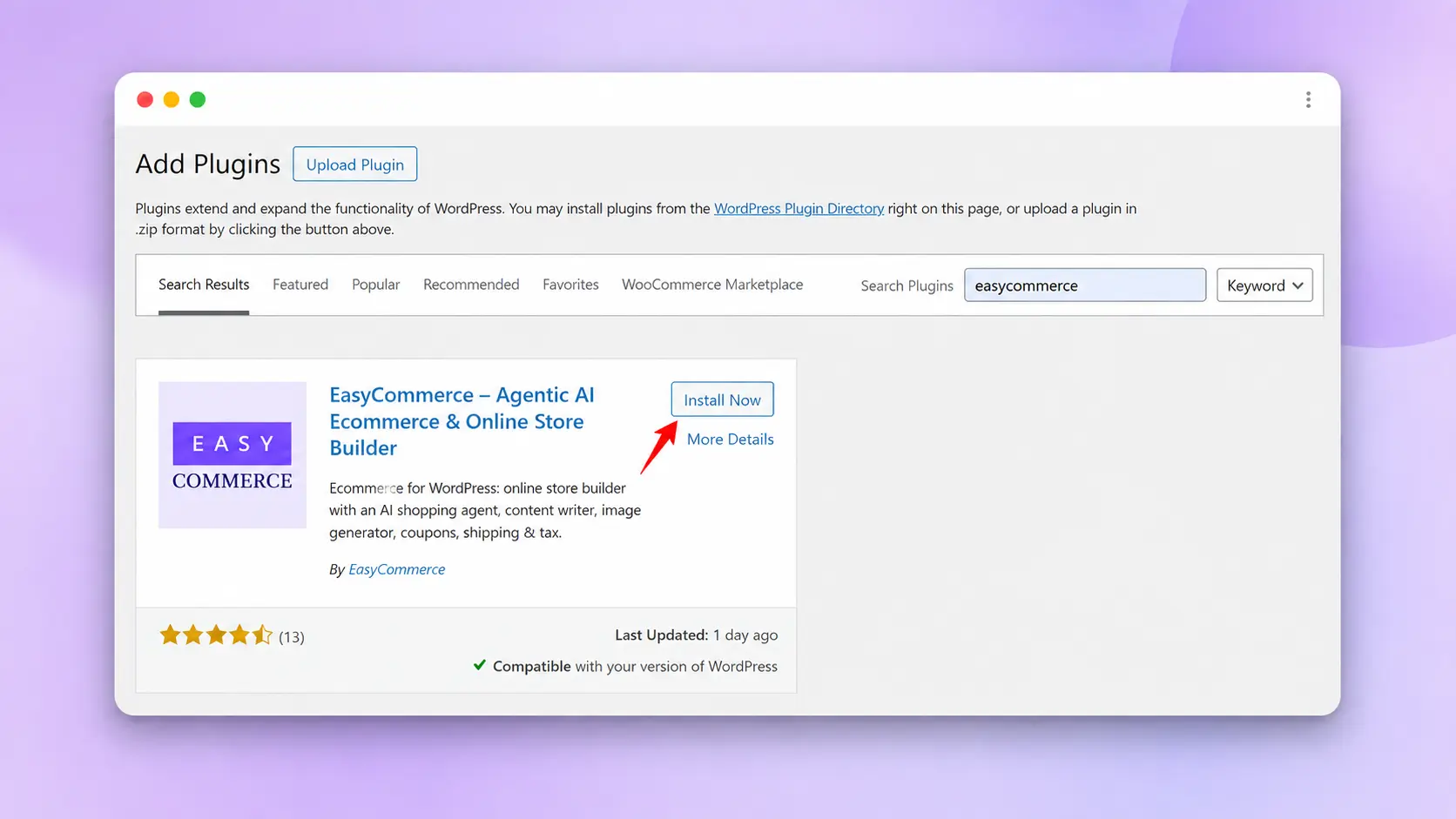
- Run through the setup wizard: store name, and basic settings.
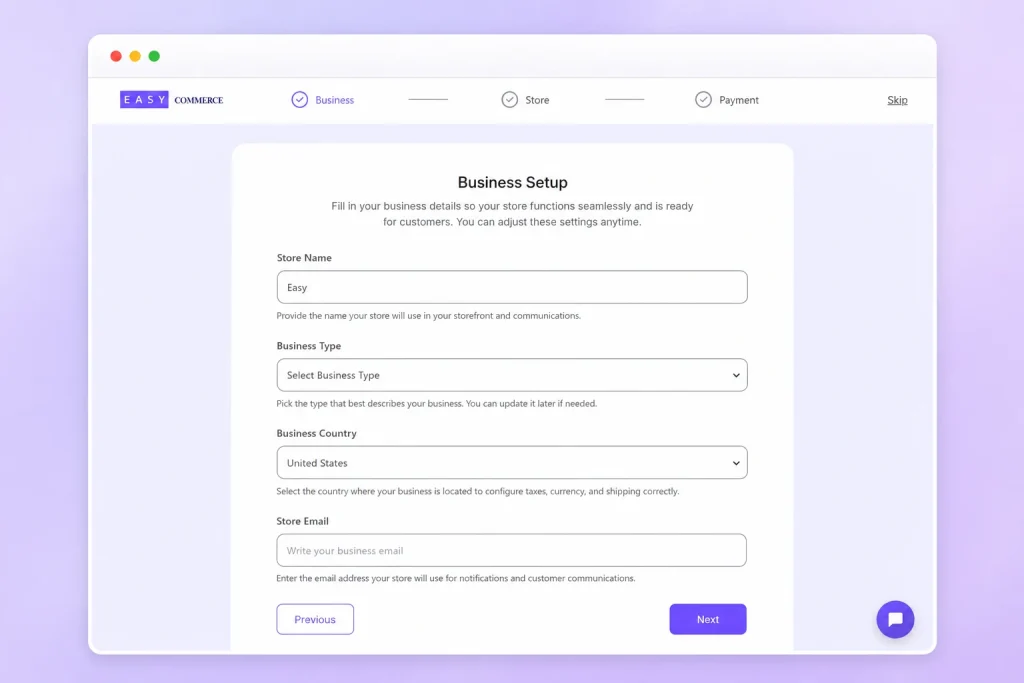
- If you plan to sell internationally later, pick your primary currency now, you can adjust display settings for other regions afterward.
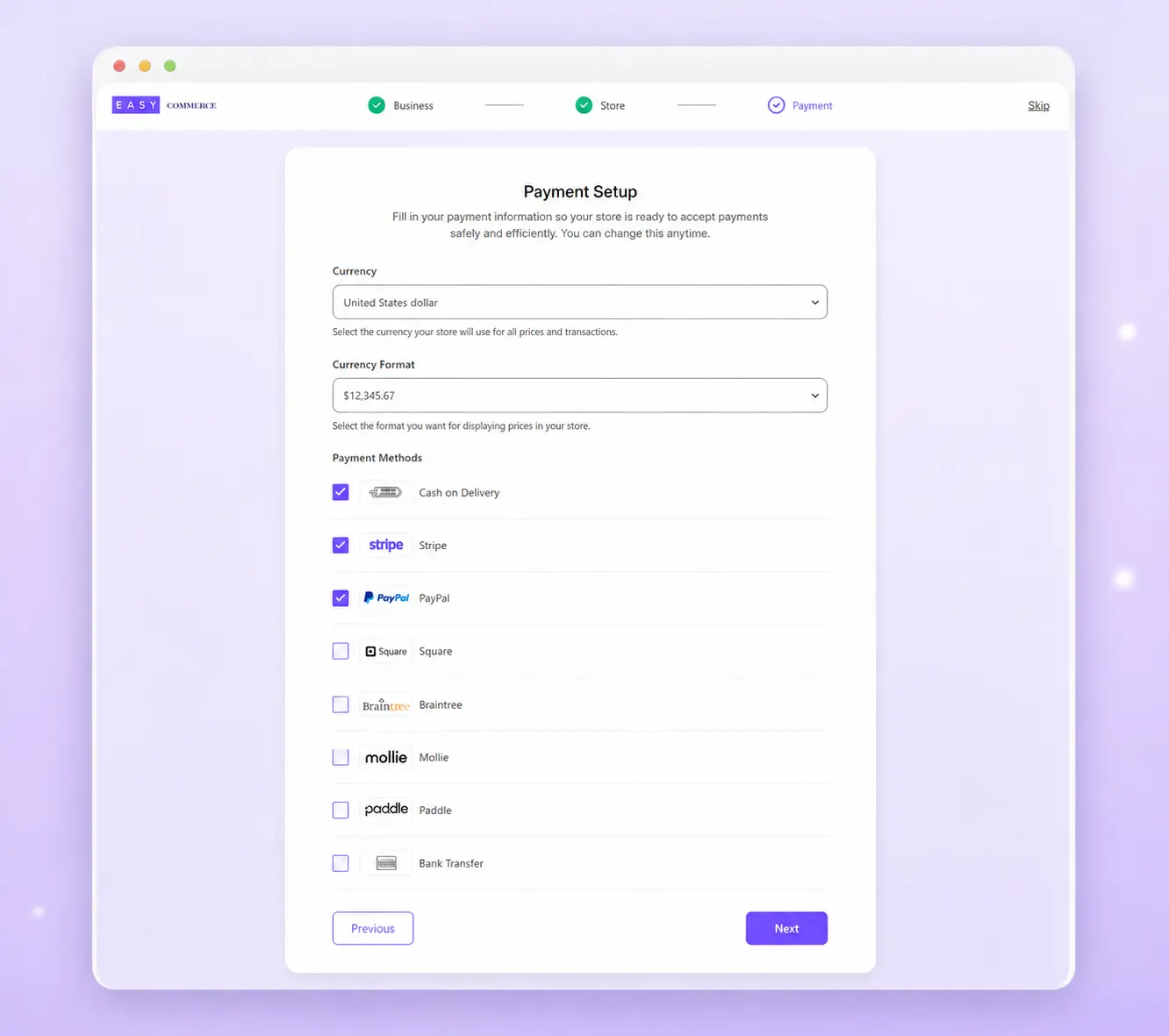
Once this is done, your store exists. It just doesn’t have anything to sell yet, that’s the next step.
Step 2: Create and Upload Your Digital Product
This is where you define exactly what the customer is buying and what they get after paying. Take your time here. A rushed product listing causes more support questions later than any other part of the setup.
- Create a new product with a name and description. Write the description like you’re explaining it to a friend, what it is, who it’s for, and what problem it solves, rather than a dry spec sheet.
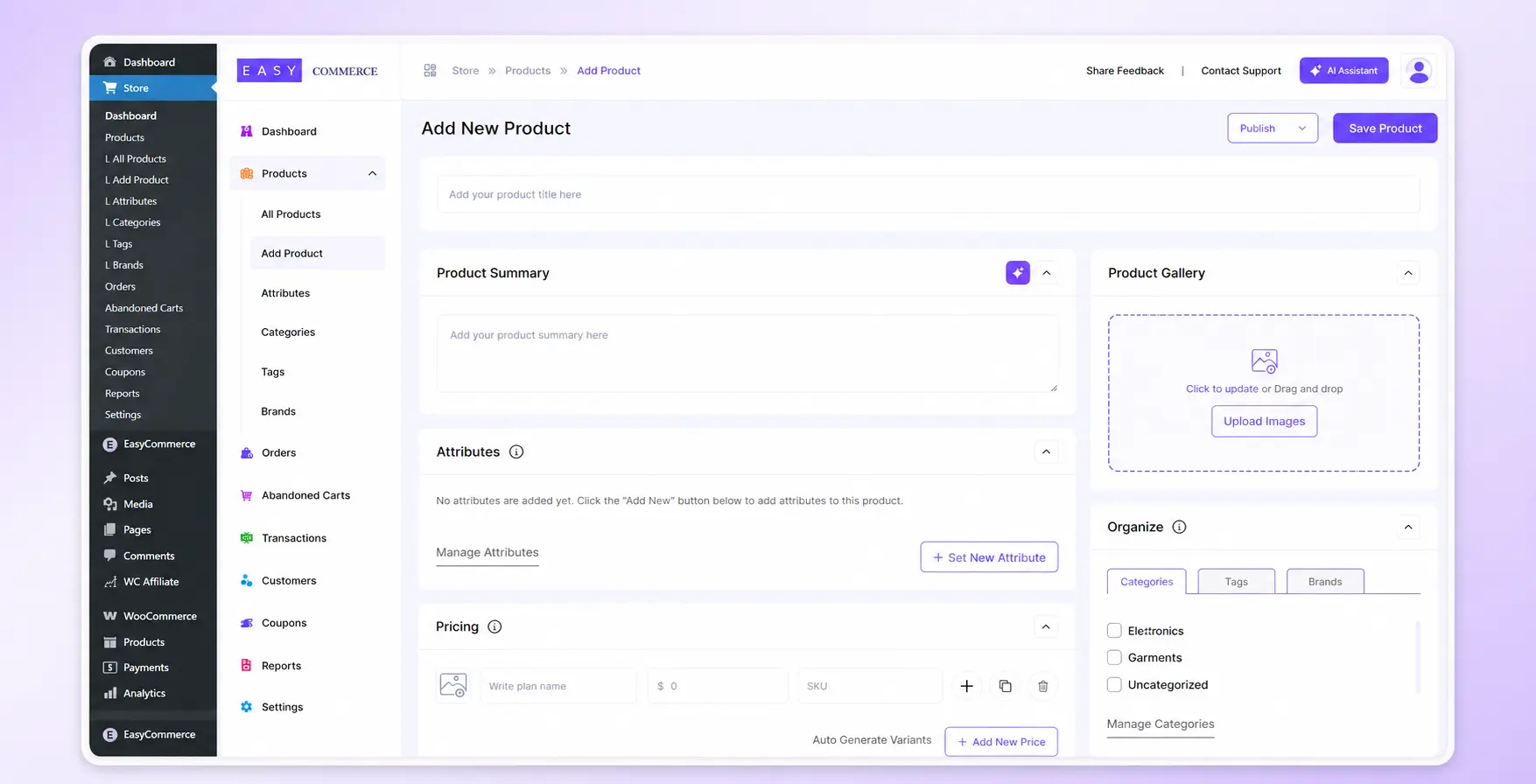
- Set the category and add a product image. Even for a digital file, a clean product image (a mockup of the ebook cover, a screenshot of the software interface) helps buyers trust what they’re purchasing.
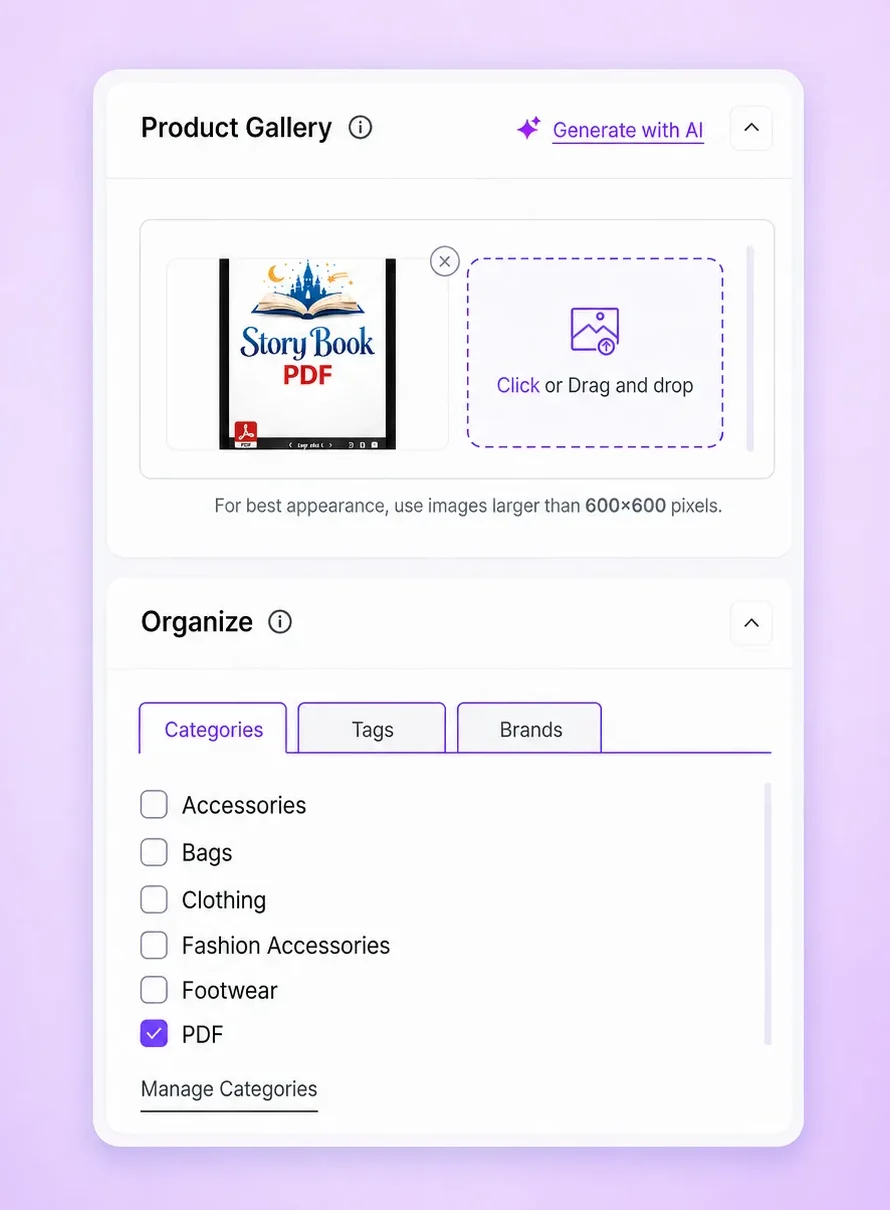
- Mark the product as digital or downloadable. This tells EasyCommerce not to ask for a shipping address at checkout and to trigger file delivery instead of order fulfillment.
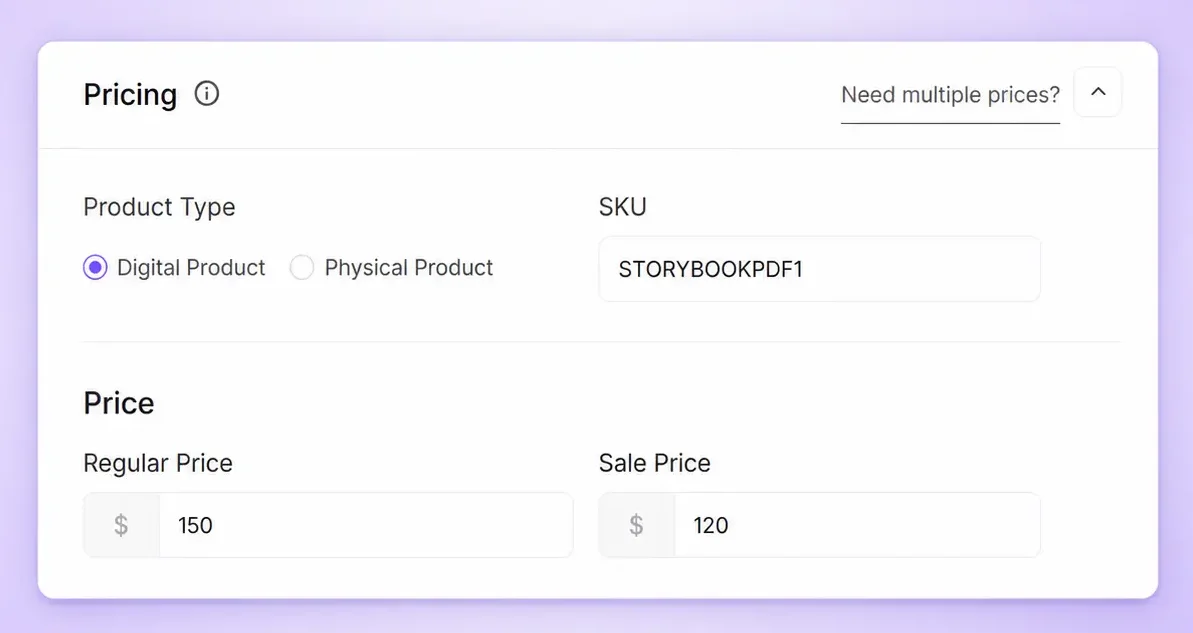
- Upload your file, or bundle multiple files into one product. This matters more than it sounds: a software product might need the installer plus a PDF manual, an album might need the audio files plus artwork and liner notes. Bundling them into one product means the customer gets everything in a single download instead of hunting through separate emails.
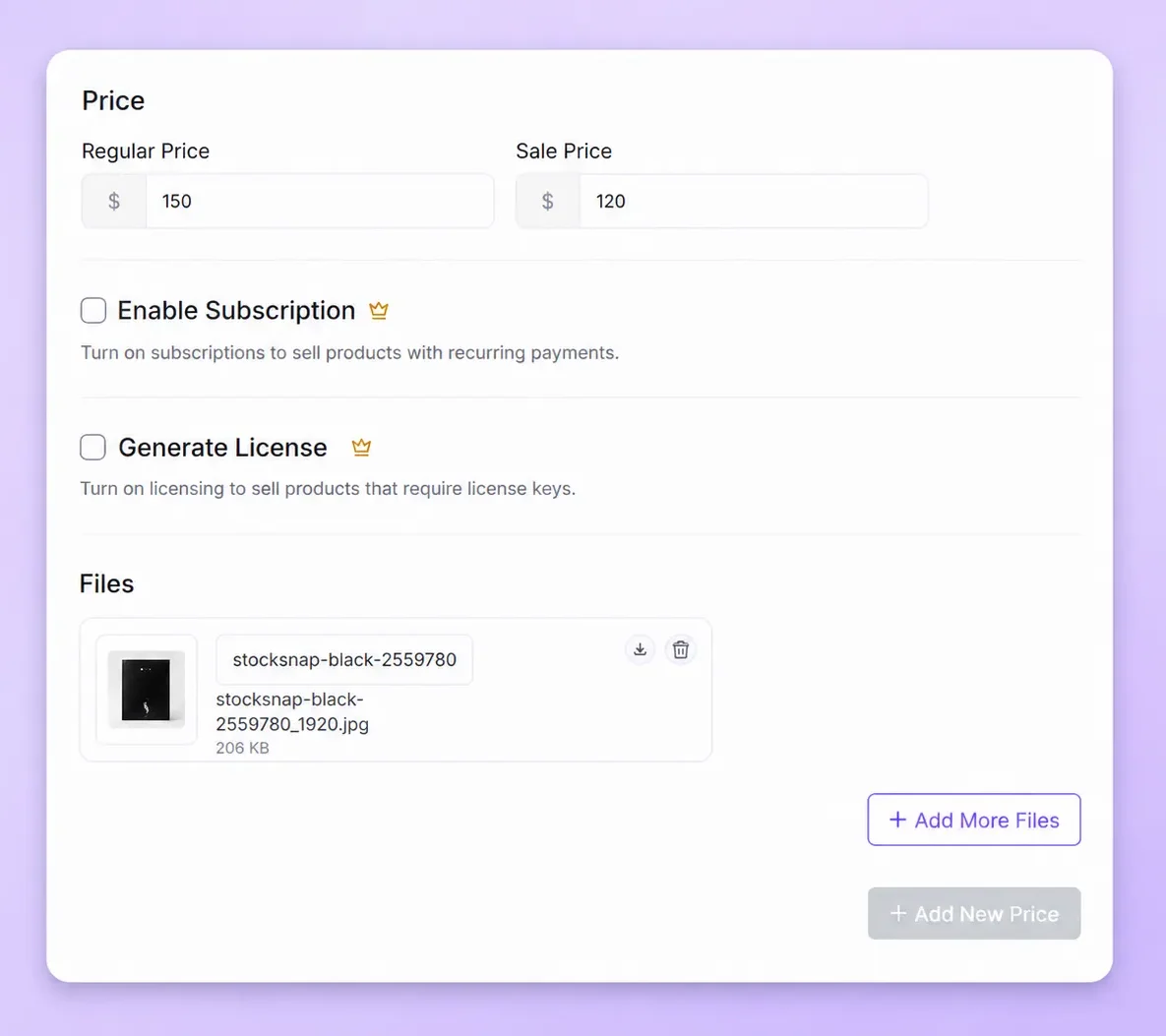
Everything downstream, checkout, delivery, refund requests- gets easier when the listing is clear and complete from the start.
Step 3: Set Pricing and Connect Payments
Pricing and payments are two separate decisions, but you’ll usually make them in the same sitting.
- Set your price: fixed, on sale, or free as a lead magnet. A free version isn’t just a discount, it’s a way to get someone on your email list or trying your product before they commit to paying, which is worth considering even if your main goal is revenue
- Connect a payment gateway. EasyCommerce supports Stripe, PayPal, Braintree, and other popular gateways, with no added fee on top of what your gateway already charges. Stripe and PayPal cover the large majority of buyers; if you’re selling to a specific country, check whether a regional gateway would convert better for that audience.
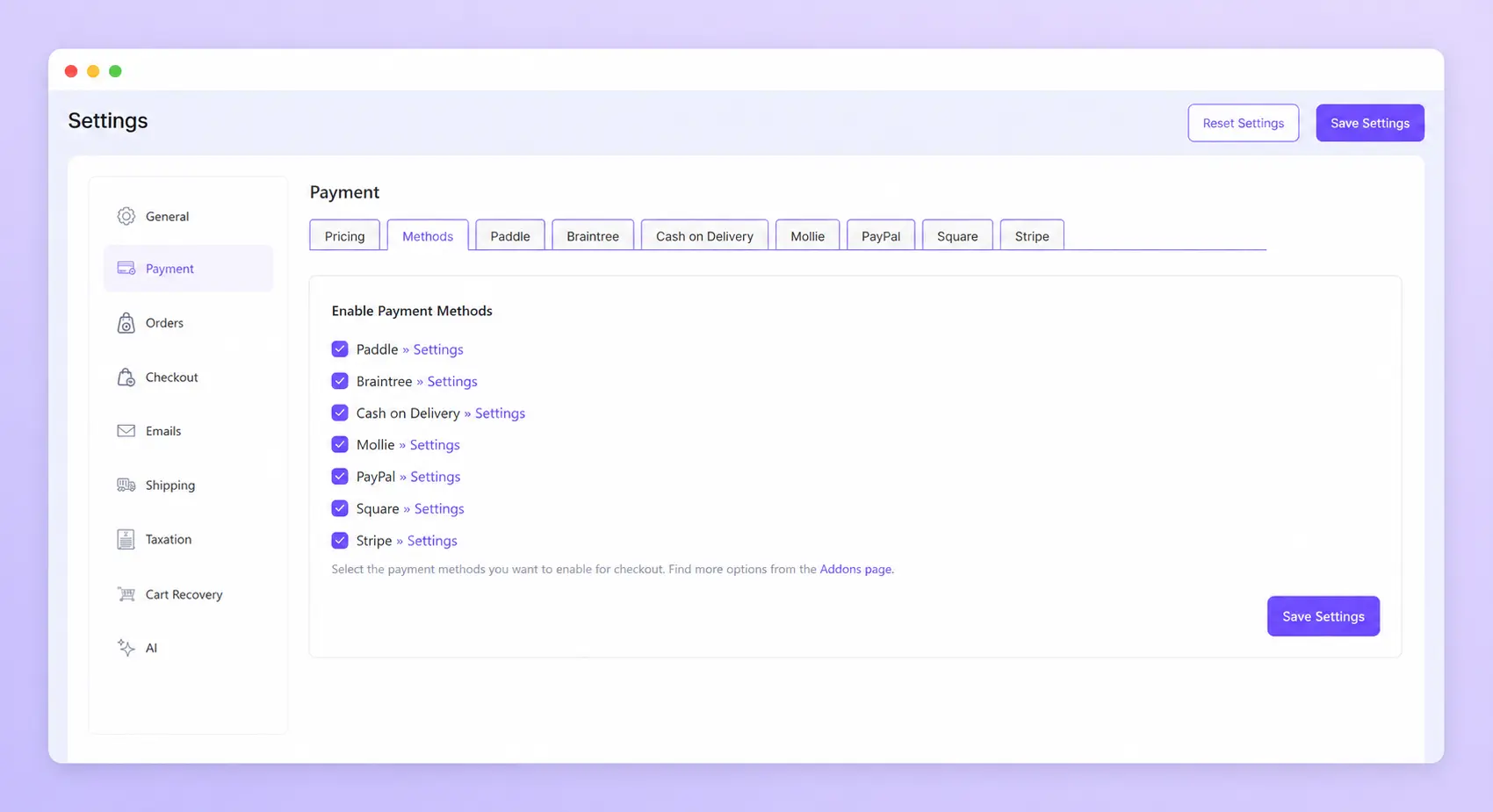
Get the gateway connected and verified before building out the rest of checkout. Payment issues are the hardest thing to debug once other settings are layered on top, so it’s worth confirming this piece works in isolation first.
Step 4: Configure Checkout, Test, and Publish
Checkout is the last thing standing between a visitor and a sale, so it’s worth a few extra minutes here before you go live.
- Strip out fields you don’t need for digital sales: no shipping address, no weight-based shipping calculation. Every extra field is one more reason for someone to abandon the purchase halfway through.
- Keep guest checkout available. Baymard Institute’s checkout research has repeatedly found that forcing account creation is one of the most common reasons shoppers abandon a purchase they’d already decided to make. If someone wants an account later, they can create one after the sale goes through
- Add your terms and privacy consent checkbox. Even a simple digital download benefits from clear terms, especially around licensing and refunds, so buyers know what they’re agreeing to before they pay.
- Place a full test order yourself: product, cart, checkout, payment, confirmation, download link. Use a real card in test mode if your gateway supports it, and actually open the download link that arrives. This is the step people skip, and it’s the one most likely to catch a broken delivery setup before a real customer does.
EasyCommerce’s checkout templates are mobile-responsive by default, which matters since most checkout friction shows up on phones rather than desktop. Once your test order clears end to end, publish and start selling.
What Makes a Good Digital Product Page?
A digital product page that converts answers four questions before the visitor has to ask: what is this, what’s included, will it work for me, and what happens after I pay.
Cover these elements:
- A clear value proposition in the first two lines
- A strong preview (sample pages, a demo video, a screenshot)
- What’s included, listed explicitly
- File format and compatibility requirements
- License terms, especially for software or templates
- What updates or support come with the purchase
- A short FAQ block
- One clear call to action
Buyers can’t hold the product before purchasing, so the page has to do the reassurance a physical unboxing would normally handle. The same trust signals that reduce checkout hesitation elsewhere in ecommerce apply here too: reviews, clear support terms, and a checkout that doesn’t introduce last-minute doubt.
How to Price Your Digital Products
Pricing digital goods is more flexible than pricing physical inventory. There’s no per-unit cost eating into your margin.
A few models to consider:
- One-time pricing: simplest to set up. Works well for ebooks, templates, and single-use assets
- Bundles: package related products at a discount to increase average order value, using built-in coupon and discount tools instead of a separate plugin
- Free-to-premium: offer a lite or sample version free, then sell the full product to buyers who are already convinced
- Lifetime access: a single higher-priced tier instead of recurring billing, common for software and courses
There’s no universal right answer. A $9 template and a $299 course can both be correctly priced for their audience. Price against what the outcome is worth to the buyer, not just your production time.
How to Protect Your Digital Downloads
Can you fully stop someone from redistributing a file after they buy it? No system does that perfectly. But you can make casual sharing difficult and keep files off the open web.
EasyCommerce’s digital delivery feature ships with sensible defaults: download links expire after 7 days and cap out at 5 download attempts, both adjustable. Files are blocked from direct access, so the only way in is a valid, time-limited link tied to a specific order.
That combination covers the realistic threat: casual link sharing, not determined piracy. A buyer who wants to redistribute a file badly enough will find a workaround. Your job is to make it inconvenient enough that most people won’t bother.
How to Sell More Digital Products After Launch
Your first sale proves the product works. Growth comes from a handful of compounding channels rather than one big trick.
- SEO: build content around the specific problem your product solves. It keeps pulling traffic long after a launch post stops getting shared
- Email: capture addresses at every opportunity and follow up with people who didn’t buy the first time
- Bundles: package complementary products to lift average order value
- Free samples: a lite version lowers the barrier to that first purchase decision
- Affiliates: extend your reach through other people’s audiences without upfront ad spend
- AI-assisted production: EasyCommerce’s AI Copy Writer turns a product name into a full description, and the AI Image Generator creates product visuals from a text prompt. Useful if you’re launching without a budget for a photographer or copywriter
Common Mistakes to Avoid When Selling Digital Products
- Treating a digital store like a physical one, with shipping fields left active
- Leaving download links publicly accessible instead of gated behind a purchase
- Weak or missing product previews
- Vague or absent licensing terms
- A checkout with more steps than the product justifies
- Installing plugins for features already built into your ecommerce platform
- Skipping the test order before going live
- Ignoring transactional emails, often the only post-purchase touchpoint a buyer gets. Customizable order and follow-up emails cost nothing extra to set up correctly the first time
What Does It Cost to Sell Digital Products on WordPress?
| Requirement | Typical Cost |
| WordPress | Free |
| Domain | ~$10 to $20/year |
| Hosting | ~$5 to $30+/month |
| EasyCommerce core plugin | Free |
| Payment processing | Gateway-dependent (typically 2 to 3% per transaction) |
| Theme | Free to premium |
That’s a different cost structure from a hosted marketplace, where the platform takes a percentage of every sale on top of your gateway fees, indefinitely.
WordPress + EasyCommerce vs. Marketplace Platforms
| WordPress + EasyCommerce | Typical Marketplace | |
| Store ownership | You | Platform |
| Branding control | High | Limited |
| Customer relationship | Direct | Often restricted |
| Platform commission | None | Often applicable |
| Setup effort | More upfront setup | Usually faster to start |
| Long-term flexibility | High | Platform-dependent |
The trade-off is honest. A marketplace gets you selling faster on day one. WordPress asks for more upfront setup in exchange for owning your customer relationships and pricing structure permanently.
Start Selling Digital Products with EasyCommerce
Selling digital products on WordPress doesn’t require a dozen tools stitched together. Set up your product, connect a payment gateway, protect your download links, and you have a functioning store that keeps 100% of what a marketplace would otherwise take as a fee.
The setup takes an afternoon. The ownership lasts as long as you run the business.
Frequently Asked Questions
Yes. A single ecommerce plugin like EasyCommerce handles product listings, checkout, payments, and digital file delivery together.
Yes. Once payment clears, the buyer gets an automated email with a secure, time-limited download link. No manual step on your end.
Yes, both, along with audio, video, images, and archive files like ZIP.
Yes. EasyCommerce lists physical and digital items on the same shop page with one unified checkout.