Support
 Docs
Docs Roadmap
 Changelog
Lifetime Deal ending soon - only 200 copies left
Claim LTD →Agentic Commerce
AI that chats, searches, and completes full purchases.
Admin AI assistant to manage your store by chat.
Free in-dashboard AI help, always available.
Fast and accurate product search results.
Let customer shop faster with voice search.
Sell on Messenger and WhatsApp with the same AI agent.
Connect Claude, Cursor, and any MCP client to your store.
Increase upsell with suggestions that connects.
Generative AI
Generate instant product descriptions.
Create high-res. images from simple prompts.
Build store/product templates in seconds.
Transform existing product photos with AI editing.
Auto-create product options from product name.
Ecommerce Features

Create and control your entire product catalog seamlessly.

Offer sizes, colors, and options with flexible variations.

Sell and auto-deliver downloadable files instantly.

Receive, track, and fulfill orders quickly and accurately.

Manage customer profiles, history, and details in one place.

Quick, clean, and hassle-free checkout experience.

Offer your customers diverse and secure payment options.

Automate the logistics with accurate shipping classes.

Simplify tax collection and compliance without the stress.

Recover lost sales with automated cart reminders.

Create and manage discount coupons that inspire sales.
Build trust with star ratings and verified reviews.

All your business data together for smarter decisions.

Engage customers with impactful email campaigns.
Give shoppers a personal account and order area.
Keep your store and customer data safe and protected.
Build in Test mode, then flip your store Live in one click.
Builder & Customization
The FluentCRM Integration addon for EasyCommerce enables seamless synchronization between your store and FluentCRM, allowing you to manage and automate customer relationships from within WordPress. It automatically captures key customer data, such as name, email, and purchase information. So, you can run targeted email campaigns, track behavior, and automate follow-ups.
With FluentCRM, you can also assign custom lists and tags to segment customers based on their interactions, purchases, or lifecycle stage. This integration helps store owners save time, reduce manual effort, and build stronger, more personalized relationships with their customers.
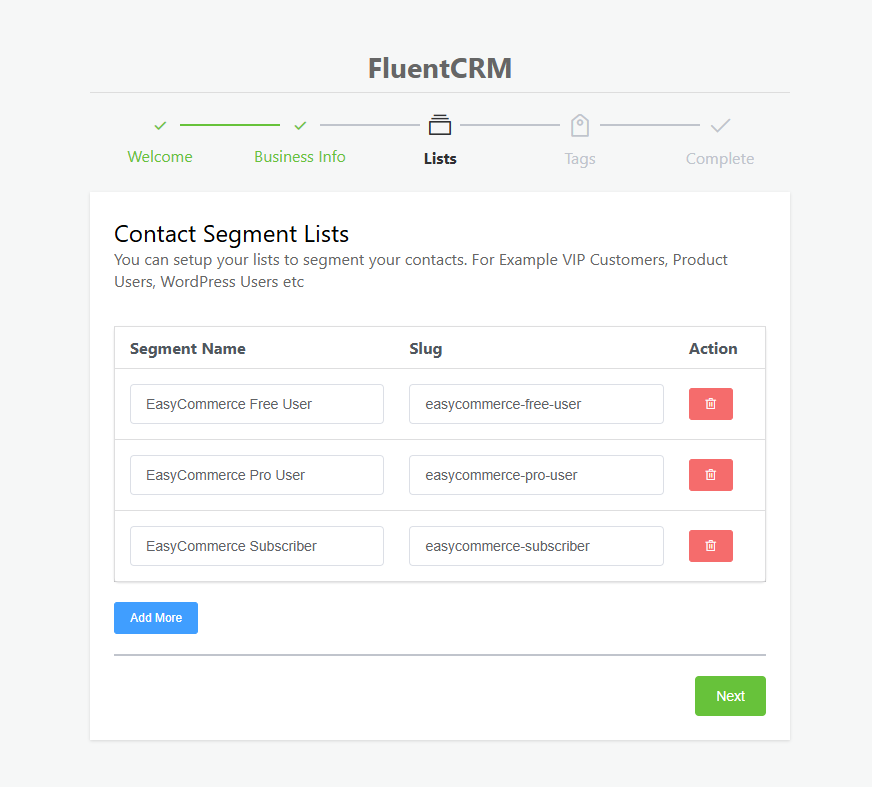
Once set up, these Lists and Tags will automatically sync and appear in the EasyCommerce addon settings. This will allow you to assign customers to specific segments based on their activity or purchase behavior, without any manual input.
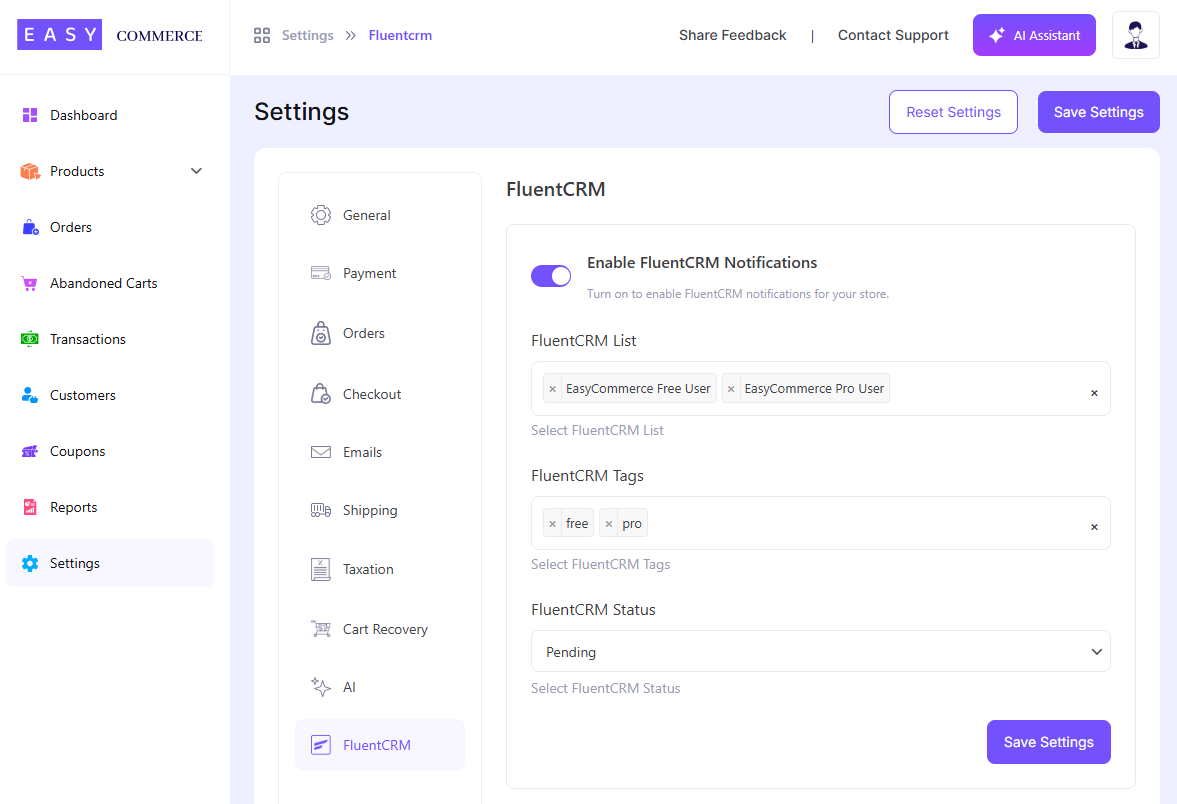
This seamless integration ensures targeted email marketing and better contact management right from your EasyCommerce dashboard.
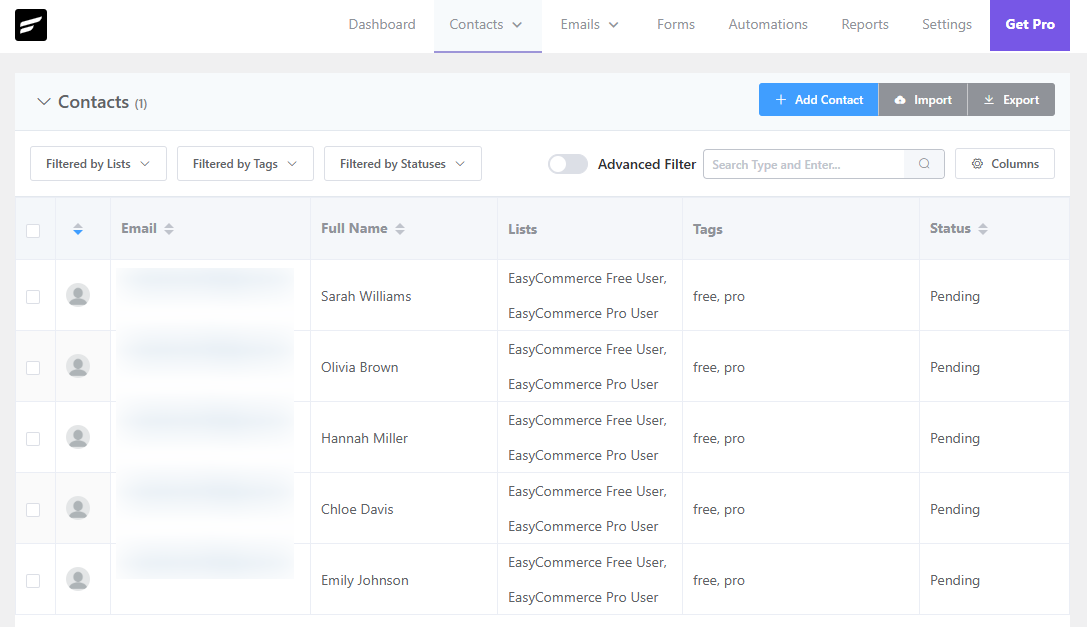
Once enabled, EasyCommerce will automatically send new customer and order data to FluentCRM. Go to FluentCRM → Contacts to verify that the sync is working and data is populating correctly.