


 Support
 Docs
Docs Roadmap
 Changelog
Lifetime Deal ending soon - only 200 copies left
Claim LTD →Agentic Commerce
AI that chats, searches, and completes full purchases.
Admin AI assistant to manage your store by chat.
Free in-dashboard AI help, always available.
Fast and accurate product search results.
Let customer shop faster with voice search.
Sell on Messenger and WhatsApp with the same AI agent.
Connect Claude, Cursor, and any MCP client to your store.
Increase upsell with suggestions that connects.
Generative AI
Generate instant product descriptions.
Create high-res. images from simple prompts.
Build store/product templates in seconds.
Transform existing product photos with AI editing.
Auto-create product options from product name.
Ecommerce Features

Create and control your entire product catalog seamlessly.

Offer sizes, colors, and options with flexible variations.

Sell and auto-deliver downloadable files instantly.

Receive, track, and fulfill orders quickly and accurately.

Manage customer profiles, history, and details in one place.

Quick, clean, and hassle-free checkout experience.

Offer your customers diverse and secure payment options.

Automate the logistics with accurate shipping classes.

Simplify tax collection and compliance without the stress.

Recover lost sales with automated cart reminders.

Create and manage discount coupons that inspire sales.
Build trust with star ratings and verified reviews.

All your business data together for smarter decisions.

Engage customers with impactful email campaigns.
Give shoppers a personal account and order area.
Keep your store and customer data safe and protected.
Build in Test mode, then flip your store Live in one click.
Builder & Customization
The EasyCommerce PDF Invoice Addon automatically generates a polished PDF invoice for every order. As soon as a customer completes checkout, the addon prepares the invoice and sends it through both the order confirmation email and a dedicated invoice email.
A copy is also saved inside the order, giving both store owners and customers easy access whenever they need it. This keeps your entire billing workflow organized without any manual steps.
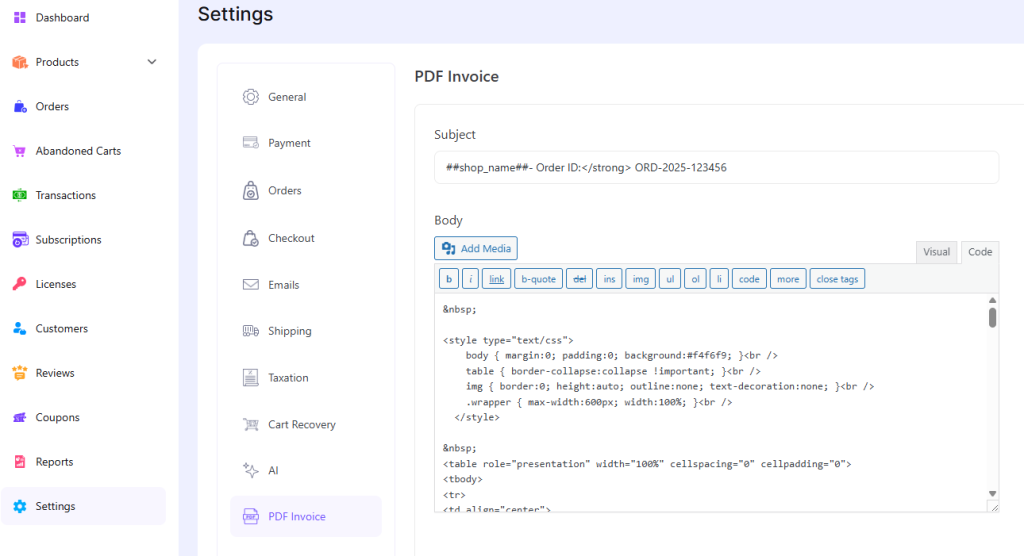
You can customize the invoice layout by adding your logo, store details, and custom notes. The addon pulls information from your EasyCommerce settings, so most fields are filled automatically.
(Image is for representation purposes only)
This creates a consistent and professional look across all invoices.
Invoices are created instantly for every completed order. The system attaches them to outgoing emails and stores a downloadable version inside each order record.
You can adjust the layout to match your branding. Add your business logo, update the header and footer, and include a short message for customers. The result is a clean, organized document that represents your store well.
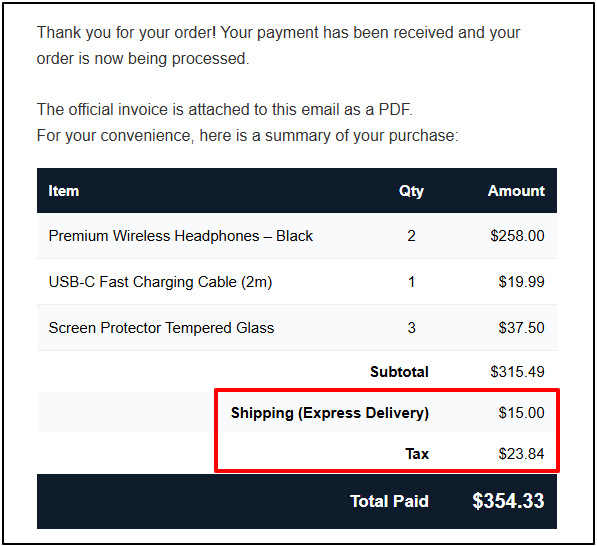
Each invoice includes clear product details, taxes, totals, and payment information. This structured format helps both you and your customers keep accurate records for accounting or tax purposes.
(Image is for representation purposes only)
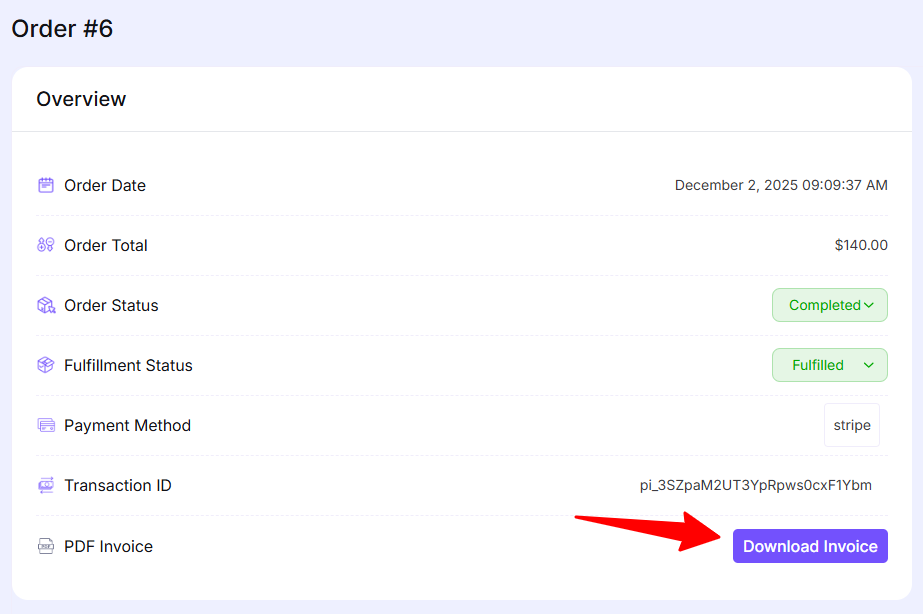
Store owners can download invoices directly from the admin dashboard (Store --> Order --> View Order). Customers can also download their invoices from their order history, giving them quick access whenever they need proof of purchase.
Customers receive their invoice through a dedicated invoice email automatically. This makes document handling easy and reduces the need for support requests.
Click this link for a better understanding of the PDF example--> Dummy PDF invoice (Representation purposes only)
The addon works smoothly with SMTP plugins, e.g., FluentSMTP. Once configured, invoice emails become more reliable and avoid common delivery issues.
Turn on the PDF Invoice Addon from your EasyCommerce Addons screen (within the WP Dashboard > EasyCommerce > Addons). You can also download the file using the ‘Download Now’ button (top right) of this page.
Add your branding, structure the layout, and edit the accompanying email text.
Open any order to view or download the generated invoice.
Customers receive invoices through email and can re-download them from their account.
Please see the documentation for a more detailed step-by-step guide.