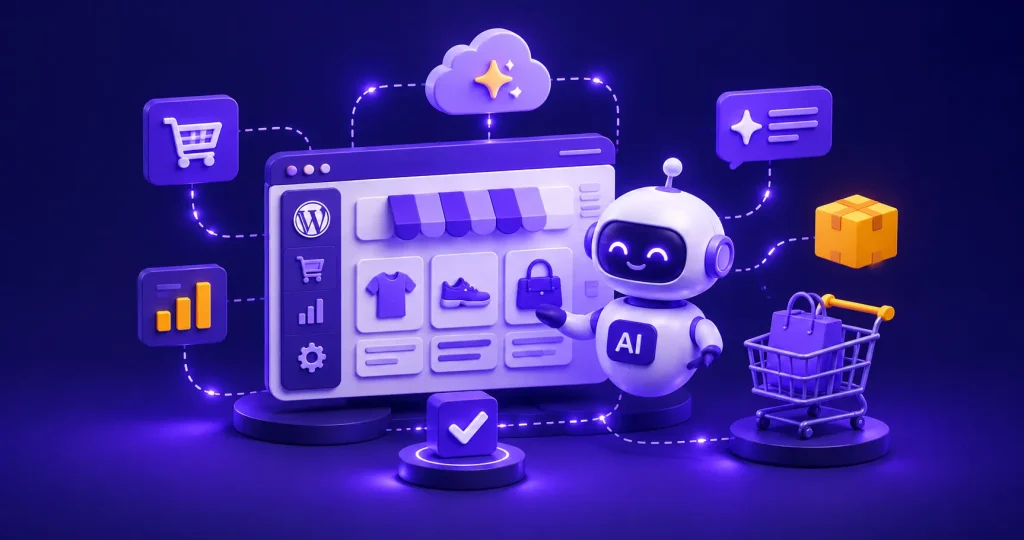
AI assistants are sending stores real buyers now. Industry data from Q1 2026 showed AI-referred orders growing nearly 13x year over year, with 55% of those sessions landing straight on a product detail page.
That is a buyer arriving mid-decision, not browsing.
Here is the problem. Adobe’s April 2026 analysis scored retail product pages at 66% machine-readable, the worst of any page type on the site. The exact page an agent needs to read is the one most stores left half-legible.
Agentic commerce on WordPress is not a rebuild. It is a data and access problem with a clear order of operations.
This guide gives you that order, says which layers are worth your weekend, and shows you how to prepare your WordPress store for agentic commerce.
New to selling online? Start with our complete guide to ecommerce.
What Agentic Commerce Actually Means for a WordPress Store?
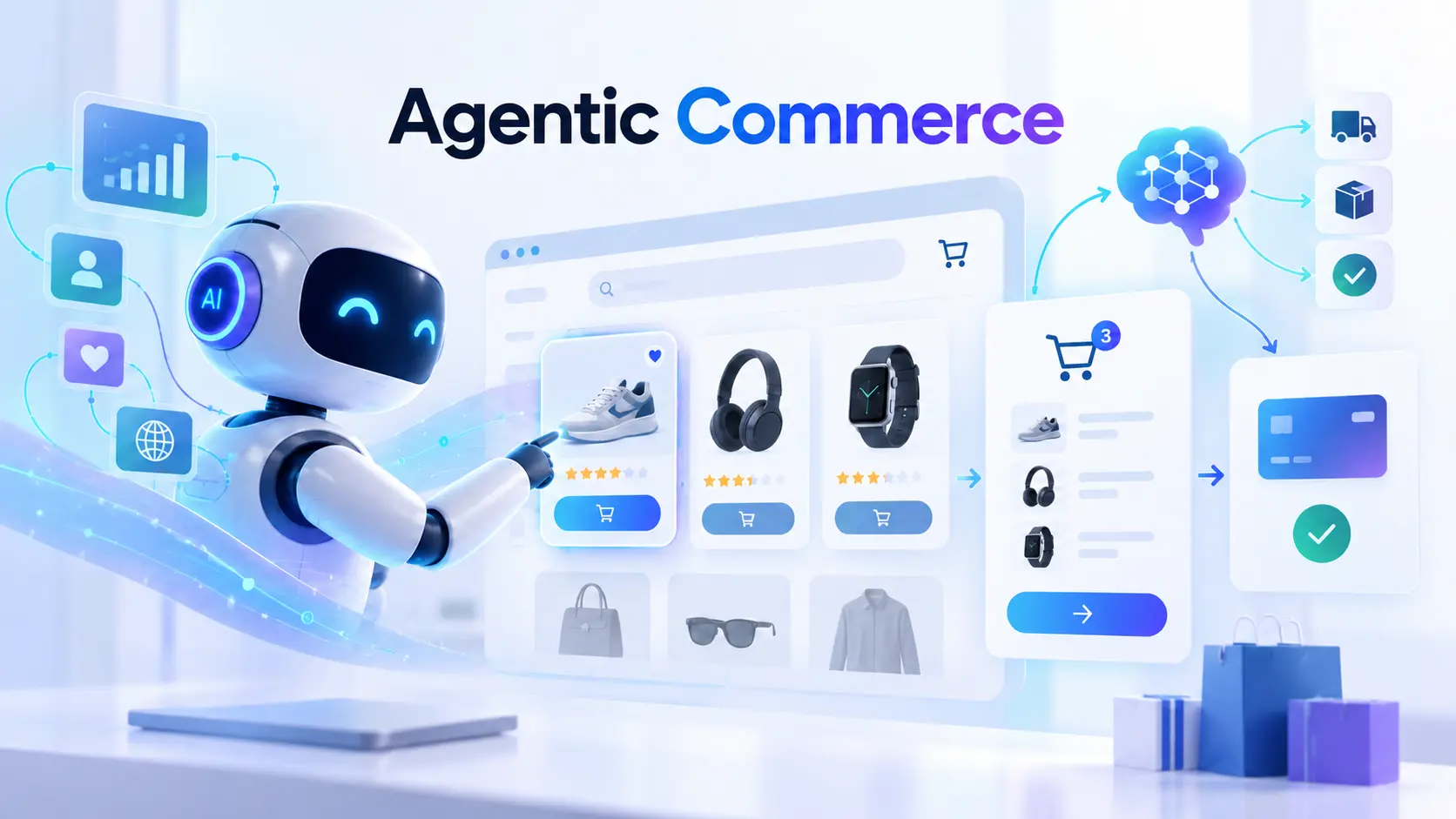
Agentic commerce is when an AI assistant does the shopping work on a buyer’s behalf: searching, comparing, filtering, and sometimes completing the purchase. Instead of a human opening five tabs, an agent reads structured product data from many stores and returns a short answer. Your store either gets read accurately, or it gets skipped.
The practical shift is that your product page now has two audiences, and only one of them can scroll.
Two Kinds of Agents, and Most Guides Only Cover One
- Agents that come to you. ChatGPT, Claude, Perplexity, Gemini, Amazon’s shopping surfaces. They query your store on a stranger’s behalf, and you control nothing beyond what you expose. This is a discovery problem.
- Agents you run. A conversational agent on your own storefront, working with your live inventory, tax rules, and payment methods. It can search your catalog, build an order, and take payment without the shopper opening a menu. This is a conversion problem.
Nearly every guide covers the first group and stops. That is strange, because the first group’s entire job is to send you a visitor, and the second group’s job is to do something useful once that visitor lands.
Notice which half you control. You cannot make ChatGPT recommend you; you can only make yourself readable and hope. The agent on your own storefront is the half you own outright, and the half most WordPress stores have not built.
Most WordPress stores fail in the middle. They are crawlable, and their checkout works, but their product data is too thin for an agent to confidently recommend them over a competitor with complete specifications. That is the gap the four layers below close, in the order they are worth doing.
Which AI Commerce Protocols Matter in 2026?
Four acronyms dominate this conversation, and store owners keep being told they need all of them. They do not.
| Protocol | Backers | What it does | Act on it now? |
| UCP (Universal Commerce Protocol) | Google, plus a coalition of large retailers | Full discovery-to-purchase standard. Merchants publish a profile at /.well-known/ucp | Watch it. Strongest long-term case |
| ACP (Agentic Commerce Protocol) | OpenAI, Stripe | Payment execution inside an AI chat | Low priority in 2026, see below |
| AP2 (Agent Payments Protocol) | Google, now under FIDO Alliance | Signed mandates proving a user authorized a purchase | Not a merchant-side task yet |
| MCP (Model Context Protocol) | Anthropic, broadly adopted | Exposes your store as tools an AI client can call | Yes. Highest practical value today |
Why the Priorities Changed in March 2026?
Nearly every WordPress guide on this topic was written before March 2026, and it shows.
OpenAI launched Instant Checkout in September 2025, promising in-chat purchases across a million-plus merchants. In March 2026, OpenAI paused it after roughly five months. Buyers used ChatGPT to research but rarely bought inside the chat; only a handful of merchants integrated, and tax, inventory sync, and fraud handling proved harder than expected. Forbes retail analyst Jason Goldberg covered the retreat and what it signals.
Read that failure carefully, because the wrong lesson is easy to draw. Conversational buying did not fail. Conversational buying inside someone else’s chat window failed for a fixable reason: the merchant did not own the checkout. Those problems disappear when the conversation happens on your own store.
Customers Discover With AI but Buy on Your Store
The pattern that survived is simple. Buyers research with AI, then purchase on your site.
Retail data backs this up. As reported in March 2026, in-chat checkout converted at roughly one-third the rate of click-throughs to the merchant’s own site, while ChatGPT drove about twice the new-customer acquisition rate of search engines. The AI channel is excellent at bringing you buyers you would not otherwise reach, and poor at closing them inside the chat.
Discovery readiness pays now. In-chat transaction plumbing pays later, if at all. And the on-site experience receiving that traffic matters more than it did a year ago, which is Layer 4.
Layer 1: Help AI Understand Your Products
This is the highest-return work on the list and the part most stores skip.
- Add complete Product schema to every product page
- Fill in the identifier fields you have been leaving blank
- Rewrite descriptions to carry specifications, not just atmosphere
- Make price and stock readable without running JavaScript
- Validate a sample of pages in Google’s Rich Results Test
Budget a weekend for a catalog under 200 products.
Product Information AI Agents Look For
Structured data is a hidden block of information on each product page written for machines rather than people. Your SEO or ecommerce plugin generates it. You do not write it by hand, but you do need to know which fields it should contain, because empty fields are the whole problem.
Google’s Product structured data documentation lists the full set. Agents lean hardest on these:
- name, description, image (multiple angles)
- sku and gtin or mpn where you have them
- brand
- offers with price, priceCurrency, availability, itemCondition
- aggregateRating and review if the reviews are genuine
- Category-appropriate attributes: size, color, material, weight, dimensions
Identifiers matter more than people expect. An agent cross-referencing the same product across four stores uses GTIN to know it is looking at one product, not four.
Check what your platform emits before installing anything: view source on a product page and search for application/ld+json. Nothing there is your first task. Native structured data output ships in an upcoming EasyCommerce release, making this step automatic rather than a plugin decision.
Write Product Descriptions for People and AI
Most product copy is written to create a feeling. Agents cannot process a feeling. They process specifications, compatibility, constraints, and use cases.
You do not have to choose. Lead with two or three lines of human-facing copy, then a specification block: what it fits, what it is made of, what sizes it comes in, what it does not do, and who it is for. That last one matters. Agents answer queries like “a lightweight jacket for a woman who runs in cold rain,” and the store that literally states its use case wins that recommendation.
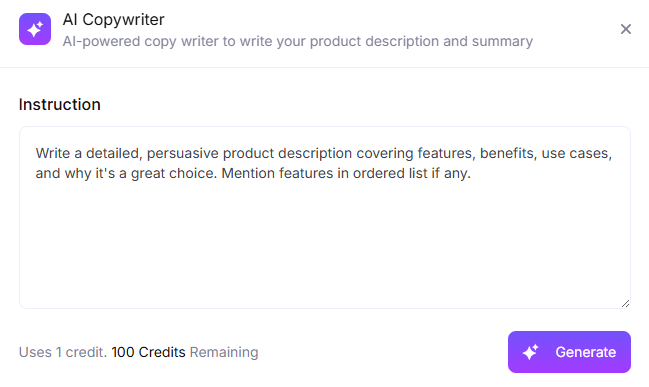
At catalog scale, that is tedious, which is where AI drafting helps. EasyCommerce’s AI copywriter generates descriptions in bulk against a specification template.
Complete the Product Details You Are Missing
Open your product editor and look at the attributes tab. If most products have two attributes filled in, that is your afternoon.
Attributes are what let an agent filter. “Size 10 waterproof hiking boots under $150” is resolved entirely by attributes and price. Products without structured size, material, and category attributes cannot be filtered into that answer no matter how good the description is.
EasyCommerce’s AI attribute generator derives product options from the product name, turning an afternoon of dropdown clicking into a review pass. Check the output, because a generated size chart that contradicts your inventory is worse than an empty field.
The work pays twice: AI smart search reads the same attribute data, so one cleanup improves on-site search and agent visibility together.
Layer 2: Make Sure AI Crawlers Can Access Your Store

An agent that cannot fetch your page cannot recommend it. This layer takes about an hour and blocks everything downstream if you get it wrong.
The Difference Between Search and Training Crawlers
Confusing these two is the most common mistake in the whole checklist.
Retrieval crawlers fetch pages to answer a live question and cite sources. Block these, and you disappear from AI answers today: OAI-SearchBot, Claude-SearchBot, PerplexityBot, Amazonbot.
Training crawlers collect data to train future models. Blocking these is defensible with no immediate visibility cost: GPTBot, ClaudeBot, Bytespider.
The 2026 AI crawler user-agent reference has the full list. My honest read: if you sell products, allow the retrieval crawlers. They are a free acquisition channel. Training crawlers are your call.
A Simple robots.txt Setup for AI Crawlers
Your robots.txt is a plain text file at your site root telling crawlers what they may visit. Most SEO plugins let you edit it from the WordPress dashboard. Paste this in, or hand it to whoever manages your site:
User-agent: OAI-SearchBot
Allow: /

User-agent: Claude-SearchBot

Allow: /

User-agent: PerplexityBot

Allow: /

User-agent: Amazonbot

Allow: /

User-agent: *

Disallow: /cart/

Disallow: /checkout/

Disallow: /my-account/
Other Settings That May Block AI Crawlers
Your robots.txt can say allow while your infrastructure says no. This is the failure mode that wastes weekends.
Three places to check. Your CDN’s bot management, since Cloudflare and similar ship AI blocking that is on by default and overrides robots.txt entirely. Your security plugin, since Wordfence and its peers rate-limit crawlers that fetch many pages quickly. And any country- or datacenter-level blocking, which catches crawler traffic by origin.
Do not assume; test. Ask ChatGPT or Perplexity to open one of your product URLs and report what it sees. If it says blocked, something in your stack is refusing the request. For a precise answer, your developer can run:
curl -A "OAI-SearchBot/1.0" -I https://yourstore.com/product/exampleA 200 means you are through. A 403 means you found your problem.
Layer 3: Give AI Agents Better Access to Your Store Data

Once your data is clean and accessible, the question is how agents can access it efficiently. Crawling a thousand product pages is slow. A feed or an endpoint is not.
Share Your Products Through Google Merchant Center
A product feed is a single structured file describing your whole catalog. It is the oldest technique here and still one of the most effective, because it feeds Google Shopping surfaces that AI Overviews and Gemini draw from directly.
Generating one is a plugin-level task, and if you already run a feed for Shopping ads, you are largely done. Make sure it carries the identifiers from Layer 1, since a feed without GTIN reproduces the ambiguity you just fixed.
Use MCP to Connect AI Agents to Your Store
MCP is the most practically useful protocol on the list. Instead of an agent scraping your HTML and guessing, it exposes your store as callable tools: search products, check stock, create an order, look up order status. Precise questions, precise answers. A bare endpoint is becoming common across WordPress ecommerce plugins, so treat its presence as table stakes rather than a differentiator.
EasyCommerce ships an MCP server, and what it unlocks is worth understanding. Connect Claude, Cursor, or any MCP client, and you can ask your store questions in plain language and have it act: pull up an order, check stock on a variation, look up a customer’s history.
Your store stops being a dashboard you log into and becomes something you talk to from whatever tool you already work in. That same endpoint serves external agents wanting precise answers instead of parsed HTML, so one setup covers both.
What differs between implementations is the data behind the tools. An endpoint sitting on products with no attributes returns confident, useless answers, which is why Layer 1 comes first. And scope permissions deliberately: read access to catalog data freely, anything that writes carefully.
Do You Need UCP or ACP Yet?
Not yet for most WordPress stores.
UCP has the strongest long-term case, launched January 2026 with Google and a coalition of large retailers behind it. But the WordPress path is still early-stage plugins, and publishing a manifest that misrepresents your capabilities is worse than publishing nothing.
Revisit in two quarters, or sooner if you sell a high-consideration product and much of your traffic already arrives from AI assistants.
ACP is lower priority after the March pause. The protocol exists, and Stripe supports it, but its flagship consumer surface is gone. If a plugin makes it a checkbox, fine. Do not build a project around it.
Layer 4: Turn AI-Referred Visitors Into Customers

Every other guide ends at Layer 3, which is a strange place to stop. You just spent a weekend making sure AI assistants can find, understand, and reach your store. Now they do. What happens to that visitor?
How AI-Referred Visitors Behave Differently
An AI-referred visitor arrives already briefed. They know roughly what they want, they skipped your homepage and category pages, and they likely have three competitor tabs open. What they still have is one unanswered question and no patience for a contact form.
Remember the number from the top: 55% of AI-referred sessions start on a product detail page, against roughly 20% for organic search. Your store was probably designed for the second pattern, where someone enters through the homepage and builds context along the way. Every question this visitor cannot resolve on that one page sends them back to the chat to ask about a competitor.
Three things help. Put specifications, shipping cost, and return policy on the page rather than behind links. Make stock status unambiguous. And give them a way to ask a question that gets answered in seconds.
Add an AI Shopping Agent to Your Store
Here the March 2026 lesson pays off rather than scares you. In-chat checkout failed because the merchant did not control it. An agent on your own storefront is the same interaction with the constraints removed: your inventory, your tax rules, your payment methods, your checkout.
What matters is what it can do once the conversation starts. A support chatbot answers questions. An agent takes actions. EasyCommerce’s AI shopping agent carries 23 tools, and the range is the point:
- Find: natural language catalog search across colors, sizes, price ranges, and categories, so “something waterproof under $150 in a men’s 10” resolves without touching a filter
- Buy: creates the order with customer and shipping details, then generates a payment link. The purchase completes in the conversation, on your store
- Follow-up: order status, tracking, address changes, coupons, refund policy. The questions that otherwise become support tickets
It runs around the clock, which for a small store is the difference between capturing a 2 am AI-referred visitor and losing them. The same toolset extends off-site through the multi-channel agent, running in Facebook Messenger with WhatsApp in development, reaching the three billion people who use those apps monthly.
Behind the counter, the AI store copilot applies the same idea to running the store: 13 tools for analytics, order status, refunds, stock, product edits, and coupons, all through chat. Destructive actions ask for confirmation, and everything lands in an audit trail.
One honest limit. An on-site agent will not fix this product data. It answers from the same catalog an external agent reads, so if Layer 1 is incomplete, your agent gives vague answers to your own customers.
How to Check Your Store Is Ready for AI Agents
Implementation without verification leaves you guessing. Three checks, starting with the one anybody can run today.
(i) Test Your Store With Popular AI Assistants
Five minutes, no tools, and it tells you more than either method below.
Open ChatGPT, Claude, Perplexity, and Gemini. Ask each a real buying question your product answers, phrased the way a customer would, without naming your brand. Then ask a follow-up naming your store and see whether it pulls accurate price and stock.
Score honestly. Did you appear unprompted? Was the price right? Availability? Did it link to the product page or your homepage? Whatever fails tells you which layer to revisit, and it is almost always Layer 1. Repeat monthly with the same questions.
(ii) Learn From the Questions Customers Ask Your Store
Your storefront agent sees the questions customers actually ask, which is often more useful than traffic data.
If shoppers keep asking about sizing, shipping cost, or compatibility, those are the fields your product pages failed to make clear, and the same gaps cost you with external agents that never get to ask. Read your agent’s conversation history as a to-do list for Layer 1.
(iii) Track AI-Referred Visitors in GA4
Referral data shows you buyers rather than crawlers.
In GA4, build an exploration segmented by session source and filter for chatgpt.com, perplexity.ai, claude.ai, copilot.microsoft.com, and gemini.google.com. Compare that against organic search on conversion rate, order value, and landing pages.
If your data resembles the industry pattern, AI referrals will convert better and land deeper in the catalog. Adobe’s AI traffic reporting documents this at scale. Your numbers will be smaller; the shape should be similar. If it is not, your product pages are still failing comprehension.
(iv) Check If AI Crawlers Are Visiting Your Store
One for your developer or host, if you want proof agents are reaching you at all. Most managed WordPress hosts show crawler activity in their dashboard. With log access, searching for crawler names answers it directly:
grep “OAI-SearchBot” access.log
Which agents show up, which URLs they request (product pages good, homepage-only not), and what status codes come back. A wall of 403s means Layer 2 is still broken.
How EasyCommerce Helps You Prepare for Agentic Commerce
Most of this checklist is retrofit work.
- Adding schema a platform should have emitted
- Opening access a plugin closed
- Bolting a conversational layer onto a storefront never built for one
That is the cost of running ecommerce software designed before agents existed.
EasyCommerce was built with the agent layer included, and the AI feature set maps onto the four layers above.
Layer 1, comprehension. The AI copywriter drafts specification-rich descriptions in bulk, the attribute generator fills the option fields agents filter on, and native structured data output ships in an upcoming release.
Layer 3, access. A built-in MCP server connects Claude, Cursor, or any MCP client straight to your store, no bridge plugin required. External agents query structured tools instead of guessing at your HTML, and you run your store from the AI client you already have open.
Layer 4, conversion. The shopping agent’s 23 tools on your storefront, the multi-channel agent carrying them into Messenger, and the store copilot’s 13 admin-side tools.
The core plugin is free and stays light enough not to fight you on page speed.
ACP and UCP are not shipped today, for the reasons argued in Layer 3. Evaluating options? The platform comparison lays out the differences, and our roundup of the best ecommerce platforms for small businesses covers the wider field.
Conclusion
Three takeaways. Data quality beats protocol adoption, so fill in your schema and attributes before touching a single acronym. Discovery is where the revenue is in 2026, because in-chat checkout did not survive its first year while AI-driven discovery kept compounding. And that traffic arrives mid-decision on a product page, so the experience receiving it deserves as much attention as the markup that earned it.
Start with Layer 1 this week. It is unglamorous, it is the highest-return work on the list, and it is what two-thirds of retail product pages still get wrong.
EasyCommerce is free to install and ships the agent layer built in.
Then go ask ChatGPT what it thinks you sell. Whatever it says back is your real starting point.
Frequently Asked Questions
No. You mainly need complete product data, accessible crawlers, and fast product pages. For most WordPress stores, this means improving your existing setup, not rebuilding it.
Yes. Agents prioritize relevance and data quality, giving smaller stores a chance to compete with larger retailers. Start by making your product data complete and easy for agents to understand.
Yes, through an on-site AI agent or an MCP connection that can find products, create orders, and generate payment links. In-chat checkout is still limited, so focus on a smooth handoff to your store.
No. It extends SEO. Structured data, fast pages, and complete product information become even more important because AI agents need to understand and retrieve your products.