Support
 Docs
Docs Roadmap
 Changelog
Order Management
Manage Orders Effortlessly With EasyCommerce
EasyCommerce helps you manage orders effortlessly, with features for email notifications, real-time tracking, and efficient fulfillment – all designed to save you time.

67% of businesses plan to implement real-time inventory systems by 2025 to improve stock accuracy and meet rising consumer expectations.
- Firework
Real-Time Control Over
Order Statuses
Keep your workflow adaptable by updating order and fulfillment statuses in real-time.
EasyCommerce lets you adjust statuses like pending, processing, or completed with ease to ensure accurate communication with your team and clear updates for your customers at every stage.

Effortless Navigation for
Order Handling
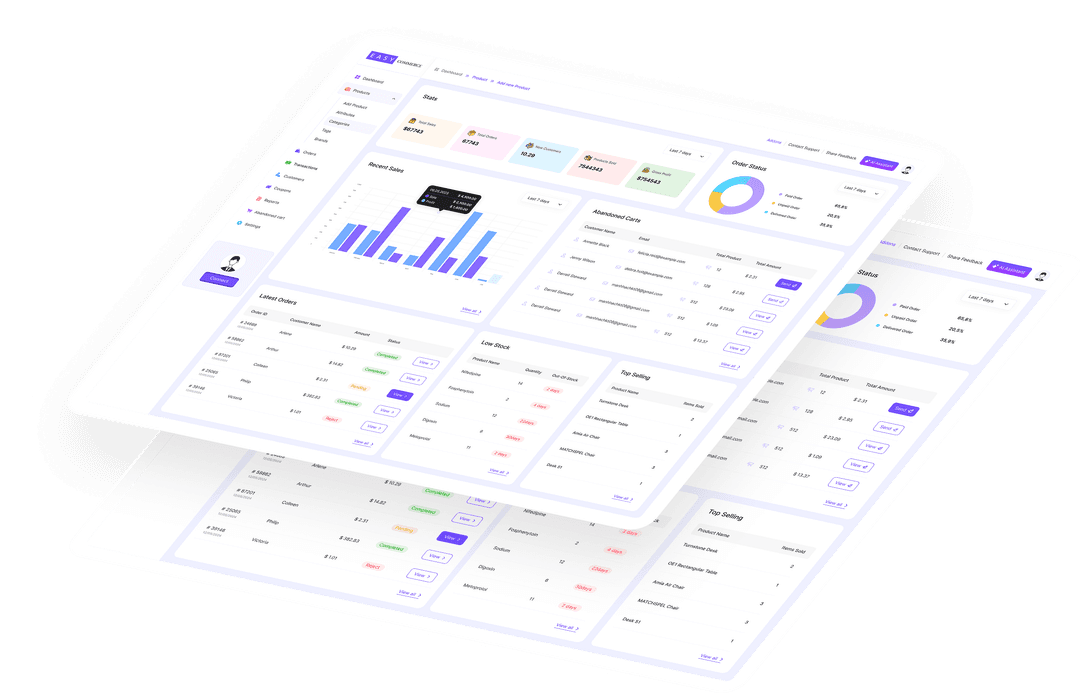
Navigate every aspect of your orders effortlessly with a clean and intuitive dashboard.
EasyCommerce’s interface offers quick access to order details, fulfillment updates, and customer information to help you stay organized and ensure efficient order management for your business.

Keep Customers in the Loop
EasyCommerce allows you to send automated or manual processing emails for individual orders, ensuring customers stay informed about their purchases. Deliver a professional and transparent shopping experience that keeps customers coming back.

Track Order Records of
Each Customer
Navigate every aspect of your orders effortlessly with a clean and intuitive dashboard.
EasyCommerce’s interface offers quick access to order details, fulfillment updates, and customer information to help you stay organized and ensure efficient order management for your business.

Complete Transaction
History and Audit Trail
Every payment attempt is logged separately from orders, giving you a detailed audit trail of all payment gateway transactions, including successful payments, failed attempts, and refunds.
Filter by order ID, customer email, date range, or transaction type. Each record stores the gateway response data, so you always have the full picture if a payment issue arises.

Private Notes and
Customer Communication
Add notes to any order: either private notes visible only to your team, or customer-facing notes that appear in the customer’s order confirmation.
Private notes are perfect for internal logistics and team handoffs. Customer notes let you communicate delivery updates, special instructions, or anything else that keeps the buyer informed and confident.

Track Every Order Through
Its Full Lifecycle
Every order moves through clear statuses, Pending, Processing, On Hold, Completed, Cancelled, and Refunded, so you and your customers always know exactly where things stand.
Cancelling an order restores stock automatically, and refunds (full or partial) adjust inventory, record a reason, and email the customer. Each order also captures billing and shipping addresses, line items, coupons, tax, payment method, and transaction IDs.

A Step-by-Step Guide to Manage
Orders on Easycommerce
Track new purchases, update order statuses, send notifications, and process refunds – all from one intuitive dashboard.
Access the Orders Section
Go to the Orders section under Store in the WordPress Dashboard sidebar.
View an Order
Find all your ongoing and previous orders from here. Hover and tap View to acess and manage that order.
Manage Orders with Action
Now you can manage orders, update fulfillment statuses, send emails, and view customer purchase history.
Frequently Asked Questions
Is it possible to edit order and fulfillment statuses?
Can I send order update emails to customers?
How does EasyCommerce handle order refunds?
Can I view detailed order histories?
Start Selling with EasyCommerce for Free!
Your ecommerce success starts with a beautifully designed online store. Get everything you need to launch, grow, & thrive with EasyCommerce.