Support
 Docs
Docs Roadmap
 Changelog
Reports & Analytics
Understand Your Store Performance at a Glance
Five report types, flexible date ranges, and dynamic charts: everything you need
to make data-driven decisions for your store.

Businesses that use data analytics are 23x more likely to acquire customers and 19x more likely to be profitable.
- McKinsey
Overview Dashboard:
Your Store at a Glance
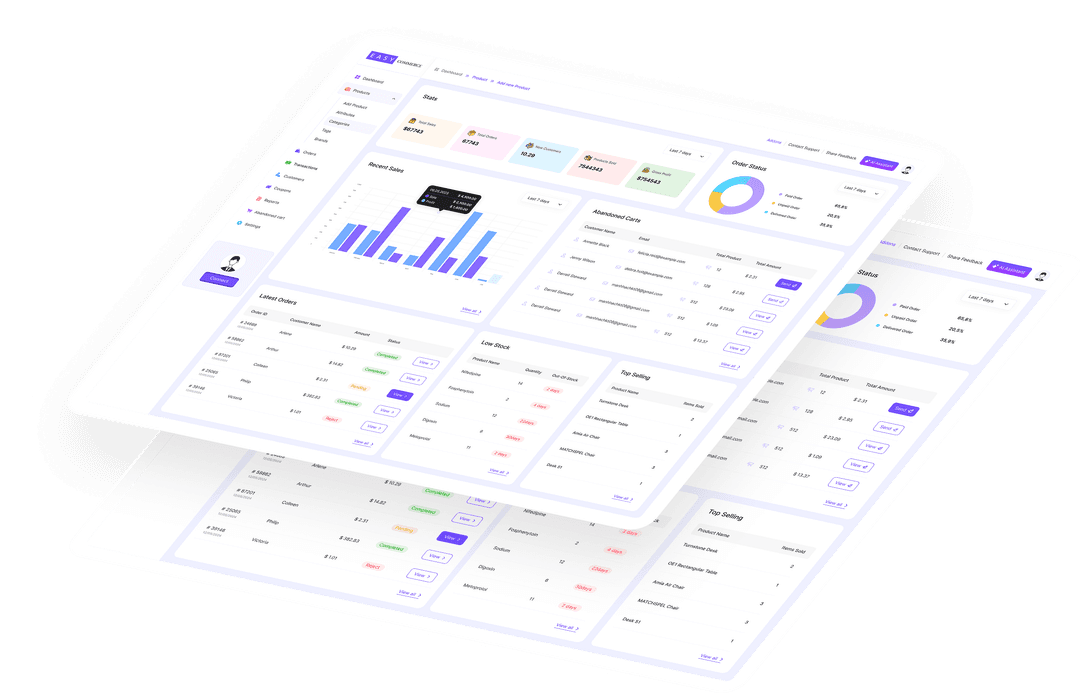
The overview dashboard surfaces the metrics that matter most: total orders, total revenue, refunds processed, net revenue, and average order value, all for the selected date period.
Sales trend charts, revenue bar charts, order status distribution, and top product lists update automatically with each date range selection. No page refreshes, no export needed.

Order and Revenue
Reports in Detail
The Orders report gives a full breakdown of every transaction: order IDs, dates, customer details, status, payment method, totals, and applied coupons. Filter by status, date, or customer.
The Revenue report breaks down gross revenue, refunds issued, coupons applied, shipping revenue, and net revenue, daily, weekly, monthly, or for any custom period you choose.

Product Performance:
Know What's Selling
The Products report ranks your catalog by units sold, revenue generated, and stock levels. Spot your bestsellers, identify slow-moving products, and see low-stock alerts before you run out.
Performance data updates with each order, giving you an accurate picture of what's driving revenue and what needs attention in your catalog.

Customer Reports:
Know Your Buyers
The Customers report breaks down new vs returning customers, orders per customer, average customer lifetime value, and your top spenders, helping you understand who your most valuable buyers are.
Use customer data to identify loyalty candidates, spot segments worth targeting, and understand purchase frequency patterns over any date range.

Available Date Ranges
Every report supports flexible filtering. Compare any period against any other.
Daily Views
Today and Yesterday: see exactly what happened in the last 24–48 hours.
Weekly Views
This Week, Last Week, and Last 7 Days for short-term trend analysis.
Monthly Views
This Month, Last Month, and Last 30 Days for monthly performance reviews.
Annual & All Time
This Year and All Time for long-term growth tracking and year-over-year comparison.
Custom Date Range
Pick any start and end date for precise period-specific reporting and comparisons.
AI-Powered Queries
Ask the Store Copilot for cross-period comparisons that standard date pickers can't handle.
Frequently Asked Questions
What date ranges are available for reports?
Can I run custom analytics queries?
How often is report data updated?
Start Selling with EasyCommerce for Free!
Your ecommerce success starts with a beautifully designed online store. Get everything you need to launch, grow, & thrive with EasyCommerce.