


Upgrading to EasyCommerce Pro unlocks a wide range of advanced features designed to take your store to the next level. With the Pro version, you can access premium addons for advanced customization that help boost sales and improve your customers’ shopping experience. Before proceeding, ensure that the Free EasyCommerce Base Plugin is already installed and active on your site.
Step 1: Download the EasyCommerce Pro Addon
If you haven’t purchased the Pro Addon yet, visit the EasyCommerce Pricing Page, choose your preferred plan, and download the .zip file after completing your purchase.
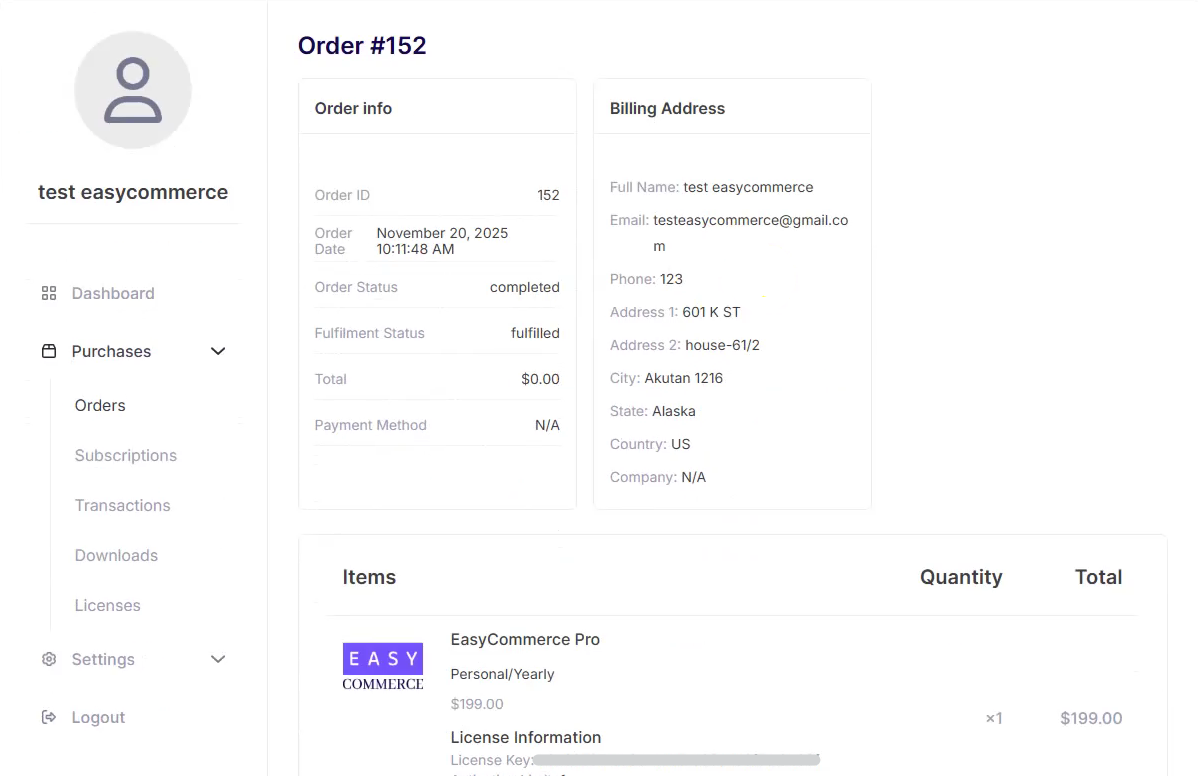
After successfully completing your purchase, you will be redirected to the Customer Dashboard, where you can view your payment and license details.
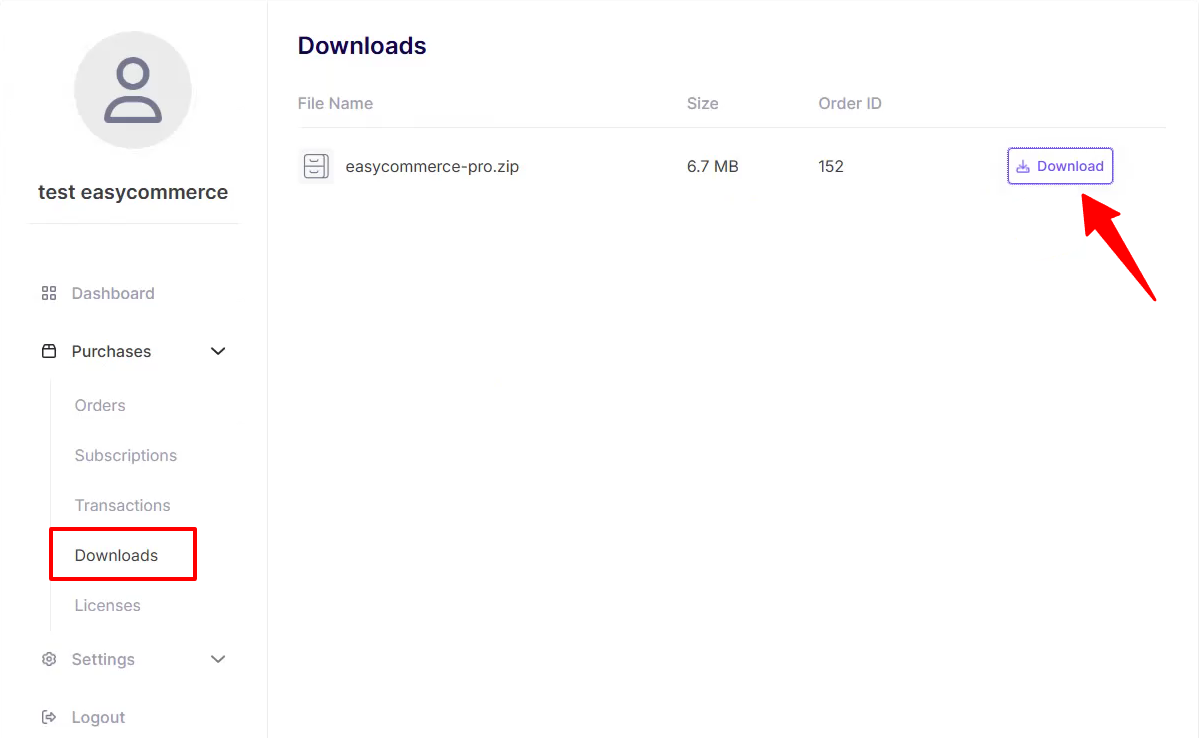
Next, go to the Downloads section in the Customer Dashboard to download the EasyCommerce Pro file.
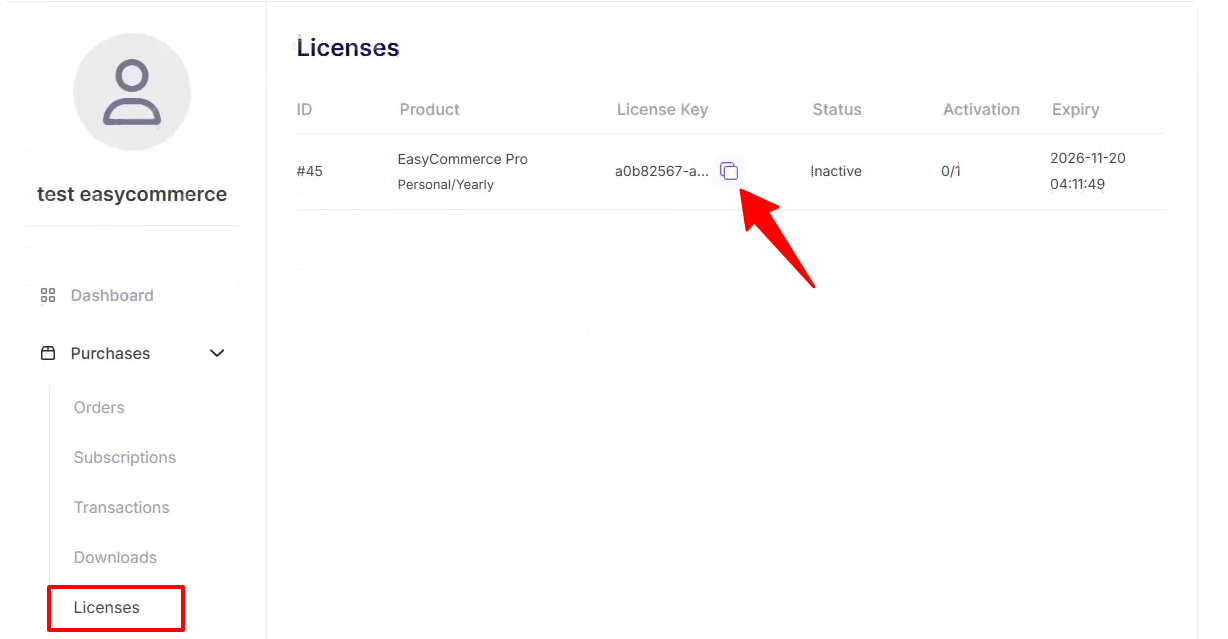
Finally, in the Licenses section, you will find your license key, along with its activation and expiry information.
Step 2: Install and Activate the Pro Addon
- Navigate to your WordPress Dashboard.
- Go to Plugins > Add Plugin.
- Click the Upload Plugin button at the top of the page.
- Select the EasyCommerce Pro Addon .zip file you downloaded.
- Click Install Now.
- Once the installation is complete, click Activate Plugin.
Step 3: Activate Your License Key
After activating the Pro Addon, you’ll need to verify your license key to receive automatic updates, bug fixes, new features, and continued access to premium addons.
- Go to EasyCommerce > Pro from your WordPress dashboard.
- Locate the Activate License section.
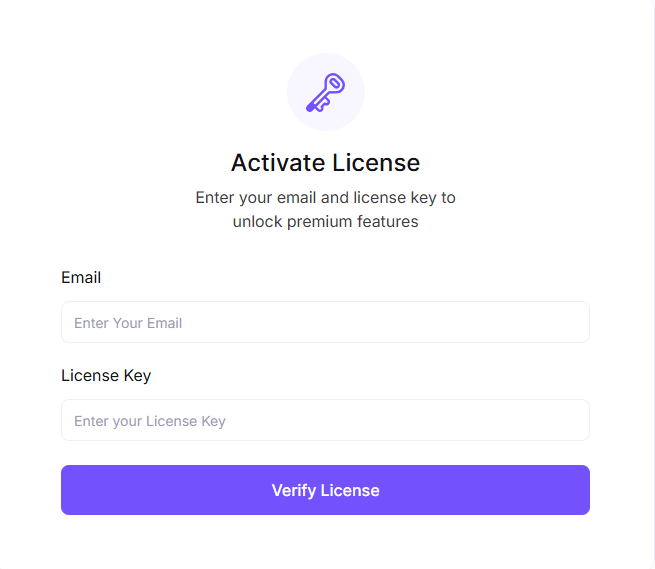
- Enter your Email and License Key in the provided fields.
- Click Verify License.
- Your license key can be found in your purchase confirmation email or by logging in to your Customer Dashboard > Purchases > License section.
Step 4: Enable Pro Features
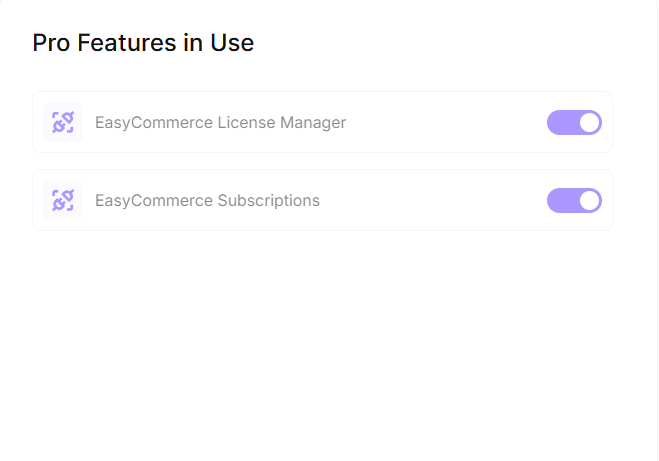
After verifying your license, all the Pro Addons will become available in the Pro Features in Use section. Simply toggle on the addons you want to use based on your preferences.
That’s it! Your EasyCommerce Pro Addon is now successfully installed, activated, and ready to enhance your store with premium features.
If you need any help, just reach out via our support channel or join the discussion in our community.
Was this doc helpful?