


The Revenues Reports section in EasyCommerce gives a quick view of your store’s earnings, including total and net revenue, average values, sales trends, top locations, and highest-spending customers all in one place for easy understanding.
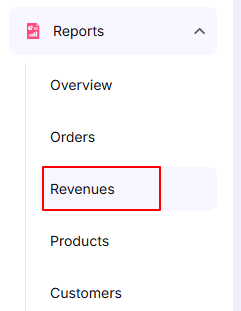
To view your store’s revenue performance go to:
WordPress Dashboard → EasyCommerce Dashboard → Reports → Revenues
Revenue Summary
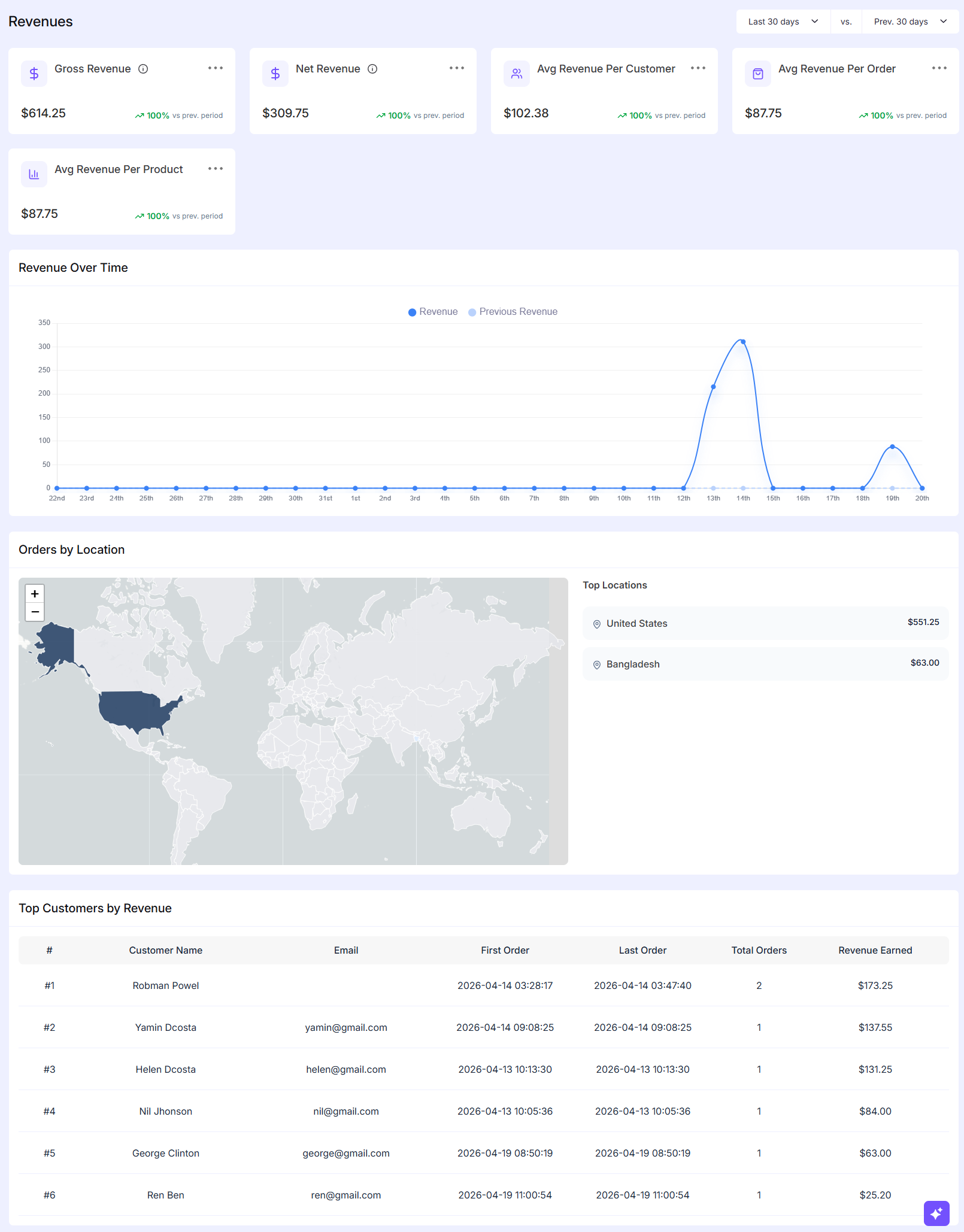
At the top of the page, you will see a set of key revenue metrics:
- Gross Revenue
Shows the total sales amount before any deductions like refunds or fees. - Net Revenue
Displays the actual earnings after deductions. This is the amount you effectively keep. - Average Revenue Per Customer
Indicates how much each customer spends on average during the selected period. - Average Revenue Per Order
Helps you understand the typical value of a single order. - Average Revenue Per Product
Gives an idea of how much revenue each product is generating on average.
Each metric also shows a comparison with the previous period, so you can quickly see whether your performance is improving or declining.
Revenue Over Time
The graph section shows how your revenue changes over time.
- The current revenue is displayed as a line chart.
- You can also see the previous period’s revenue for comparison.
This helps you identify trends, spikes in sales or slow days. For example, you can easily notice if a promotion or campaign caused a sudden increase in revenue.
Orders by Location
This section provides a geographical overview of your revenue.
- A world map highlights where your orders are coming from.
- The Top Locations list shows the countries contributing the most revenue.
This is useful for understanding your main markets and planning region-based marketing or shipping strategies.
Top Customers by Revenue
At the bottom, you will find a table listing your top customers based on revenue.
For each customer, you can see:
- Name and email
- First order date
- Last order date
- Total number of orders
- Total revenue generated
This helps you identify your most valuable customers and can be useful for loyalty programs or targeted campaigns.
Overall the Revenues Report gives you a quick but complete understanding of how your store is performing financially along with insights into customer behavior and regional sales distribution.
Was this doc helpful?